
SHAKIR ANSARI
AI in B2B Sales Automation Strategies

AI in B2B Sales Automation Strategies

B2B sales teams don’t lose time because they don’t care—they lose time to repetitive work: copying lead details, updating CRMs, writing follow-ups, generating proposals, coordinating onboarding, and producing reports.

Schedule a Consultation
Layer AI on top of the systems you already use.
1

Follow-up automation

Less manual outreach, faster response times, and consistent follow-up.

2

CRM logging & hygiene

Clean pipeline data and fewer missed details through AI-driven updates.

3

Proposal drafting

Shorter sales cycles and fewer errors with consistent, faster quotes.

AI in B2B Sales: Game-Changing Automation Strategies (That Fit Your Stack)

AI in B2B sales helps companies automate those daily tasks with smarter workflows—without forcing you to replace your existing systems. Instead of “rip-and-replace,” AI automation connects your tools (CRM, email, forms, calendars, docs, ticketing, analytics) and improves response times across the entire revenue lifecycle.

If your goal is faster lead nurturing, cleaner pipeline data, quicker proposals, smoother onboarding, and better reporting—this pillar page shows practical AI automation strategies you can implement.

Who this pillar page is for (B2B companies)

This is for business-to-business companies that want to automate:

  • Lead nurturing and follow-ups
  • Proposal/quote generation and approvals
  • CRM updates and data hygiene
  • Client onboarding workflows
  • Reporting, forecasting, and pipeline insights
  • Account management tasks
  • Internal communication (handoffs, summaries, and next-step routing)

Why AI automation matters in B2B sales (More than “chatbots”)

Most teams start with a chatbot. That’s a start—but AI’s real impact comes when it’s connected to your processes.

Common problems AI in B2B sales solves

  • Leads go cold because follow-ups aren’t timely or personalized
  • CRM records are incomplete or inconsistent
  • Proposals take too long (manual data pulling + repetitive writing)
  • Onboarding depends on spreadsheets and human coordination
  • Reporting takes hours—and still misses key context
  • Sales and support don’t share the same customer truth

What changes with AI-powered workflows

  • Faster response times and consistent follow-up
  • More accurate CRM updates (less manual work)
  • Personalized outreach and document generation at scale
  • Seamless transitions from sales → onboarding → account management
  • Continuous updates, summaries, and automated internal handoffs

The 8-Part AI Automation Blueprint for B2B Sales

Below are the highest-impact strategies B2B teams use to automate revenue workflows with AI.
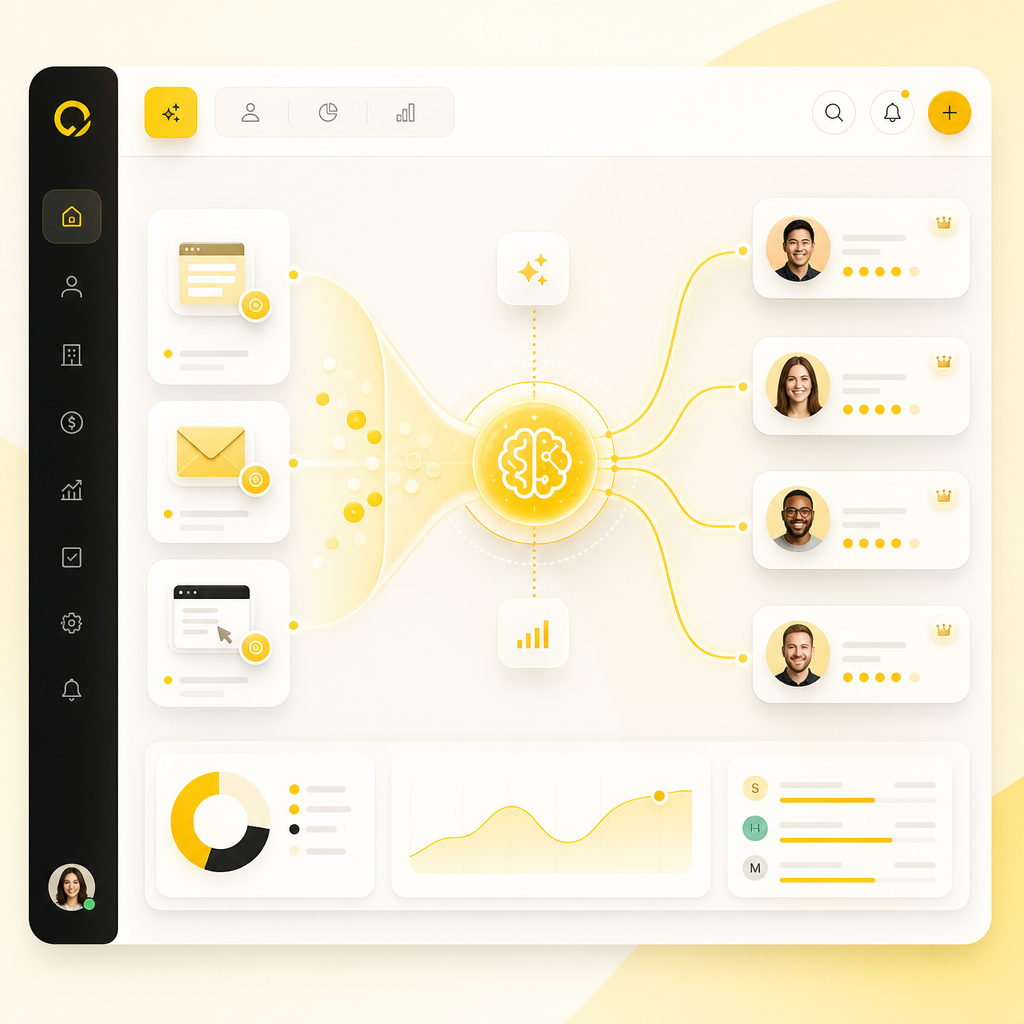
Illustration of AI lead intake and smart routing workflow connecting multiple channels to CRM owners and nurture sequences.

1) AI Lead Intake + Smart Routing

Problem: Leads arrive from multiple channels (forms, ads, events, email), and they wait for human review.

AI solution: Auto-capture and enrich leads, then route them to the right owner and sequence.

What your workflow can do

  • Read incoming form data / emails / web events
  • Enrich firmographics (based on available data)
  • Assign priority using AI lead scoring signals
  • Trigger the correct nurture track (industry, budget, intent)

Result: No lead goes unanswered—and the right person responds sooner.

2) AI Lead Nurturing That Doesn’t Feel Generic

Problem: Follow-ups are repetitive and often not context-aware.

AI solution: Generate and personalize sequences using customer context, past interactions, and product fit.

Practical examples

  • Draft outreach + follow-up emails with relevant talking points
  • Automatically tailor messaging based on lead profile and engagement
  • Create next-step tasks (calls, demos, docs to review)

Key conversion benefit: Higher reply rates without adding headcount.

3) CRM Updates and Data Hygiene via AI (Not Manual Copy-Paste)

Problem: Sales reps manually update CRM fields and miss details.

AI solution: Automatically log activities, extract key fields, and sync changes across tools.

Workflow examples

  • Convert email threads into CRM notes + next steps
  • Extract meeting outcomes into structured fields
  • Detect missing fields and request updates
  • Keep pipeline stages accurate as customers respond

Result: Cleaner pipeline data and better forecasting.

4) AI Proposal + Quote Generation (Faster, More Accurate, Consistent)

Problem: Proposals take time—especially when they require pulling information from multiple sources.

AI solution: Create proposal drafts from CRM/account data and approved templates.

What to automate

  • Pull customer requirements from forms, calls, and tickets
  • Generate proposal sections based on your service catalog
  • Insert pricing tables and recommended packages
  • Draft emails for approval + send to the customer

Result: Shorter sales cycles and fewer errors.
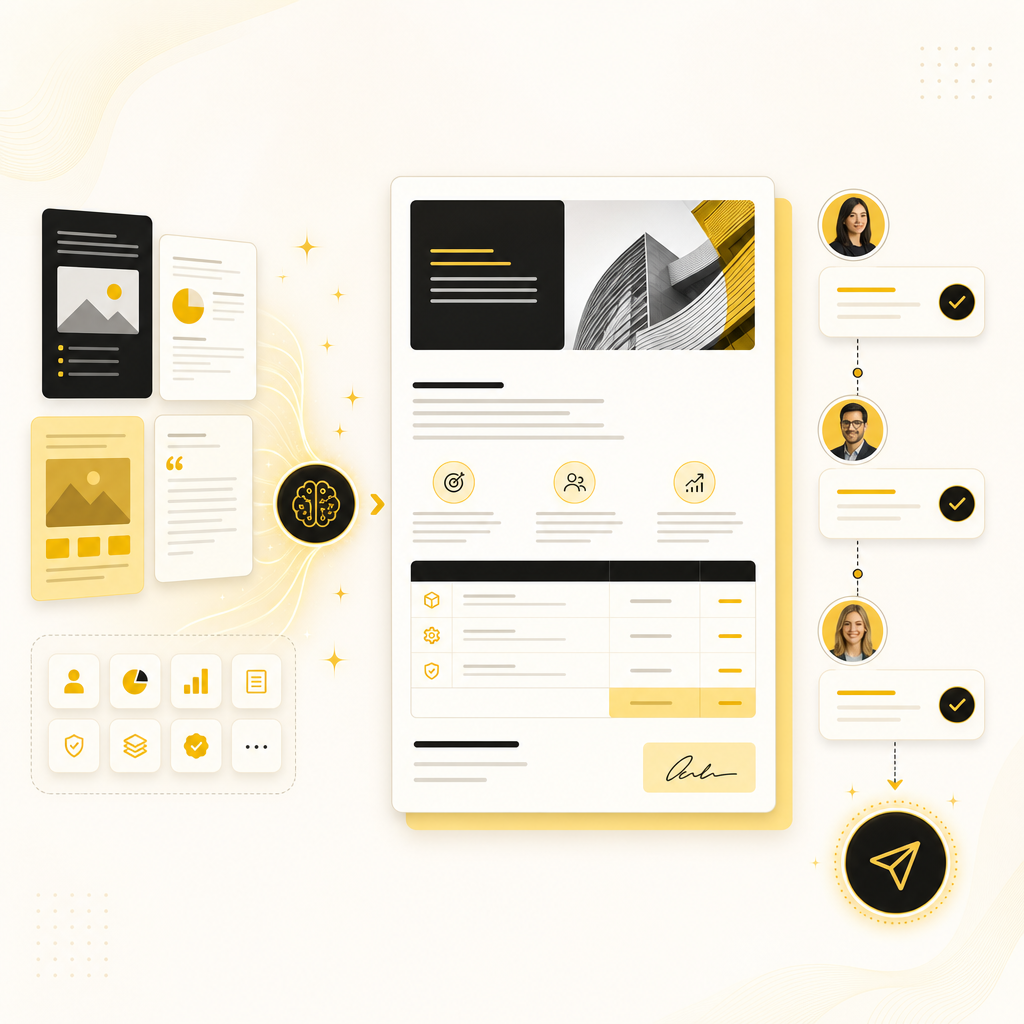
Illustration of AI generating proposal drafts and routing an approval-ready quote from CRM data and templates.

5) Automated Follow-Ups and “Deal Momentum” Alerts

Problem: Opportunities stall because the team misses timing signals.

AI solution: AI monitors intent and activity, then triggers next actions.

Examples

  • Alert sales when customers ask questions, open docs, or go inactive
  • Recommend follow-ups based on engagement patterns
  • Schedule calls automatically (where permitted)

Result: Deals move forward because follow-up is built into the workflow.

6) AI-Powered Scheduling + Handoffs to Delivery/Onboarding

Problem: Scheduling and onboarding coordination creates delays between departments.

AI solution: Automate appointment booking and create onboarding tasks when the deal closes.

Workflow examples

  • Book meetings based on availability and lead context
  • Generate onboarding checklists and required forms
  • Notify onboarding teams with structured summaries
  • Create internal tasks and route approvals

Result: A smoother customer experience from “signed” to “started.”

7) Customer Support Automation for Retention (Account Management Lite)

Problem: Support requests and account questions drain sales and admins.

AI solution: Automate first-line responses and route complex issues properly.

Examples

  • Answer common questions from internal knowledge bases
  • Draft responses with correct product/service references
  • Create tickets with summarized context
  • Suggest upsell/cross-sell actions based on account usage signals (if available)

Result: Stronger retention and a more efficient team.
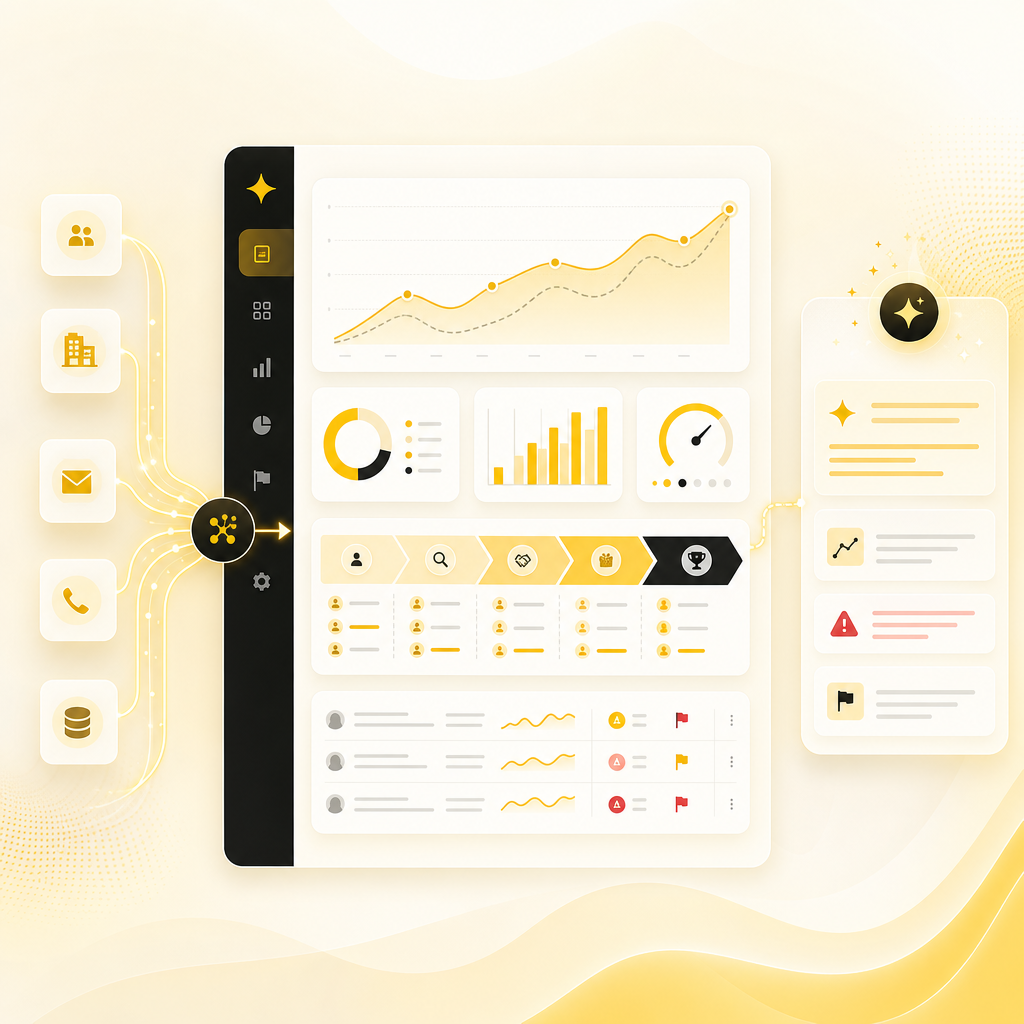
Illustration of an AI analytics dashboard summarizing pipeline performance, forecasting signals, and risk insights.

8) Reporting, Forecasting, and Pipeline Insights (Without the Manual Crawl)

Problem: Reporting is slow, inconsistent, and often delayed.

AI solution: Generate reporting outputs from your CRM and activity data—then summarize what matters.

Examples

  • Weekly performance summaries for leadership
  • Pipeline stage analysis and risk flags
  • Automated reporting for inbound/outbound performance
  • Data-ready dashboards powered by connected systems

Result: Faster decision-making with less effort.

How to get AI automation without breaking your existing systems

A major misconception: companies need to swap CRMs, email tools, or internal processes to “use AI.”

Instead, you can layer AI on top of what you already have:

  • Connect CRM + email + forms + scheduling + docs
  • Use integrations/APIs to standardize data
  • Automate workflows with rules + AI-assisted decisions
  • Maintain audit trails and human approval where needed

Goal: smarter operations, not operational disruption.

What custom AI automation from Shakir Ansari looks like

Shakir Ansari – Full Stack Developer & AI Automation Solutions helps businesses build, improve, and automate digital systems—including AI-powered automation that connects tools and reduces manual work.

With 10+ years of experience and 1,300+ web applications developed, the RTP team delivers custom-coded solutions across:

  • SaaS development and platform building
  • AI agents and automation systems

Common delivery approach

  1. Discovery & workflow mapping (where time is lost and data breaks)
  2. Automation design (what the AI does vs. what stays human)
  3. Integration plan (CRM, email, docs, forms, internal tools)
  4. Build + connect (custom workflows, API integrations, AI assist)
  5. Test with real data (accuracy, latency, edge cases)
  6. Launch + optimize (monitor performance, refine prompts/rules)

Use cases you can implement for AI in B2B sales

Pick the outcomes you want first—then automate the surrounding workflow.

Use Cases You Can Implement for AI in B2B Sales

A) Lead Handling Automation

  • Auto-capture + enrich leads
  • Route to the right owner
  • Trigger nurture sequences
  • Update CRM automatically

B) Proposal Automation

  • Generate proposal drafts from templates + CRM data
  • Add recommendations based on account context
  • Send approval requests
  • Log proposal status in CRM

C) CRM Updates + Activity Summaries

  • Convert emails/notes into structured CRM fields
  • Keep pipeline stage changes accurate
  • Create follow-up reminders automatically

D) Client Onboarding Automation

  • Create onboarding checklists instantly after close
  • Generate documents and task assignments
  • Notify teams with structured summaries

E) Reporting + Account Management Automation

  • Weekly executive summaries
  • Pipeline risk/intent alerts
  • Automated reporting for leadership
  • Support-to-sales handoffs when needed

Quick ROI: Where Teams Usually Save Time First

Most B2B teams see the fastest wins in:

  • Follow-up automation (less manual outreach)
  • CRM logging and hygiene (cleaner data, fewer mistakes)
  • Proposal drafting (reduced proposal turnaround time)
  • Onboarding coordination (less cross-team waiting)
  • Reporting summarization (less spreadsheet work)

When workflows are connected end-to-end, your team spends more time selling—and less time maintaining systems.

Common pitfalls to avoid (So AI doesn’t waste time)

  • Automating messy processes first (garbage in = bad automation)
  • Replacing tools instead of integrating (creates adoption friction)
  • No human approval loop for high-stakes outputs (pricing, legal language)
  • Not tracking where data comes from (hard to debug and improve)
  • One-off automations instead of reusable workflow patterns

A good strategy starts with process clarity, then builds automation in layers.

Implementation Checklist: Launch AI in Your B2B Sales Workflow

Use this as a practical starting point:

  • Identify your top 3 repetitive workflows (lead follow-up, CRM updates, proposals, onboarding, reporting, etc.)
  • Confirm your systems of record (CRM, email, documents, forms)
  • Map data sources and destinations (where info enters and where it must update)
  • Define success metrics (time saved, response time, conversion lift, data accuracy)
  • Decide automation boundaries (what’s AI-generated vs. human-approved)
  • Build integrations via API/workflows (reduce manual steps)
  • Test with real scenarios and edge cases
  • Monitor, refine, and expand to the next workflow

Frequently Asked Questions

Do we need to replace our CRM to use AI in B2B sales?

No. Most teams keep their CRM and integrate AI automation around it using APIs and workflow connections.

Will AI-generated emails and proposals sound “generic”?

Not when workflows use your templates, CRM data, and approval steps. AI drafts can be personalized and reviewed before sending.

How do we keep CRM data accurate with automation?

By syncing structured fields, validating required information, and logging changes automatically (with optional human review).

Can AI handle both sales and onboarding workflows?

Yes. Strong automation connects deal closure signals to onboarding tasks, documents, and internal handoffs.

What about internal teams—won’t automation create extra work?

Done right, it reduces coordination time. AI can summarize meetings, route tasks, and keep teams aligned automatically.

Is this only for enterprise companies?

No. B2B teams of many sizes use custom automation when it targets high-friction workflows.

What’s the fastest workflow to automate first?

Usually lead handling + CRM updates or proposal drafting—because they touch high volume and clear process steps.

Can you build custom automation if we use multiple tools?

Yes. Custom AI automation is often about connecting the exact tools you already use.

Build Custom AI Automation for Your B2B Sales Process

If you want AI in B2B sales that actually reduces manual work—automates lead nurturing, updates your CRM, speeds up proposals, improves onboarding, and delivers reporting—then start with a workflow-first plan.

Get in touch with Shakir Ansari – Full Stack Developer & AI Automation Solutions to map your processes and build custom AI automation that integrates with your existing systems.

Schedule a Consultation
Ready to automate smarter workflows? Schedule a consultation and we’ll help you identify the highest-impact automations for your sales pipeline and operations.