
SHAKIR ANSARI
Automate repetitive admin work with AI, APIs, and custom workflows. Built by Shakir Ansari for teams still stuck in spreadsheets.
If your team still relies on manual spreadsheets, copy-paste updates, and disconnected tools, you’re not alone—but you’re losing time, accuracy, and growth momentum.
Replace spreadsheet-based processes with custom process automation systems.
Build smart AI for business workflows that reduce the slow and inconsistent parts of admin work.
Connect the tools you already use with reliable integrations.
If your team still relies on manual spreadsheets, copy-paste updates, and disconnected tools (plus endless “send it again” emails), you’re not alone—but you’re losing time, accuracy, and growth momentum.
Shakir Ansari – Full Stack Developer & AI Automation Solutions helps businesses replace spreadsheet-based processes with custom process automation systems, smart AI for business workflows, and reliable integrations that connect the tools you already use.
The goal: fewer manual steps, less human error, faster operations, and digital systems built to scale.
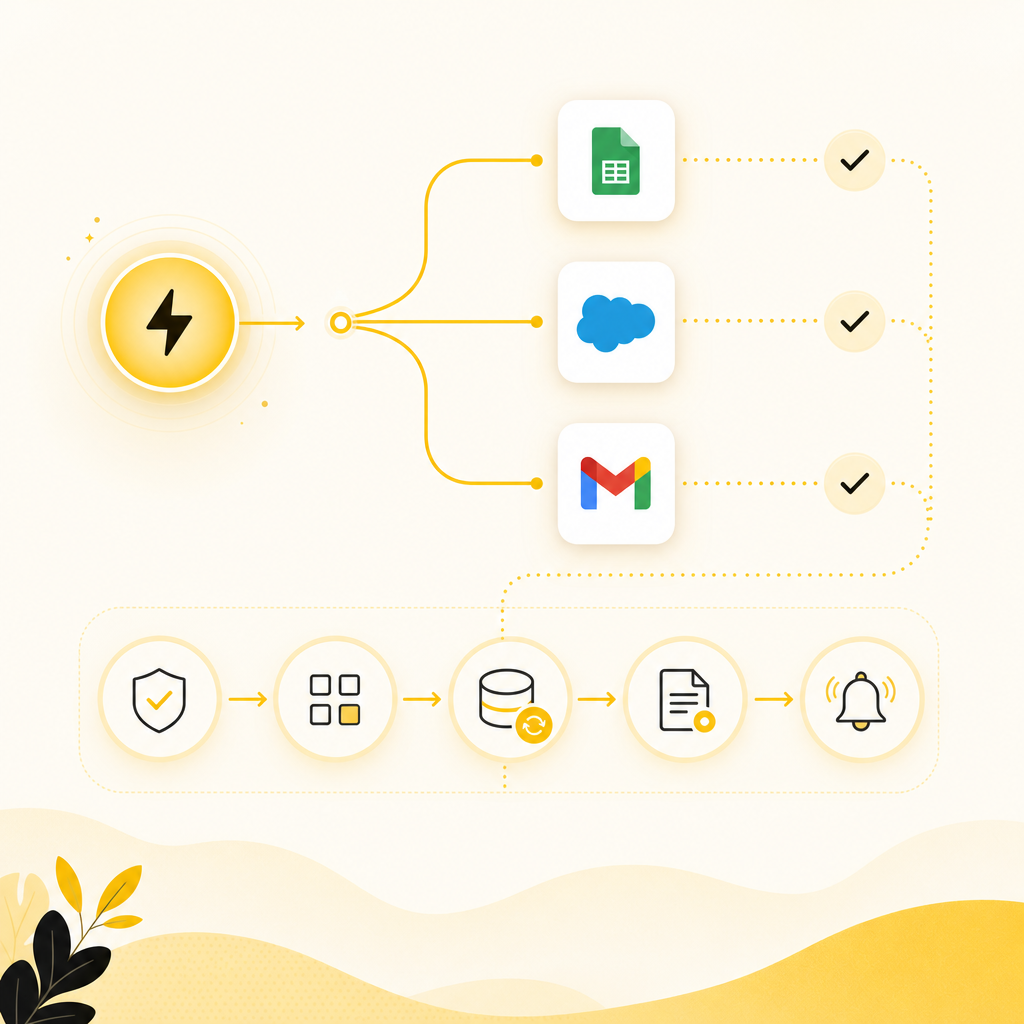
Process Automation is the replacement of manual steps with software-driven workflows—so tasks happen automatically when triggers occur.
Instead of:
You get:
Automation can cover everything from routing, approvals, data sync, and reporting to notifications and document handling.
AI for business isn’t about replacing your team—it’s about reducing the parts of the job that are slow, inconsistent, or knowledge-heavy.
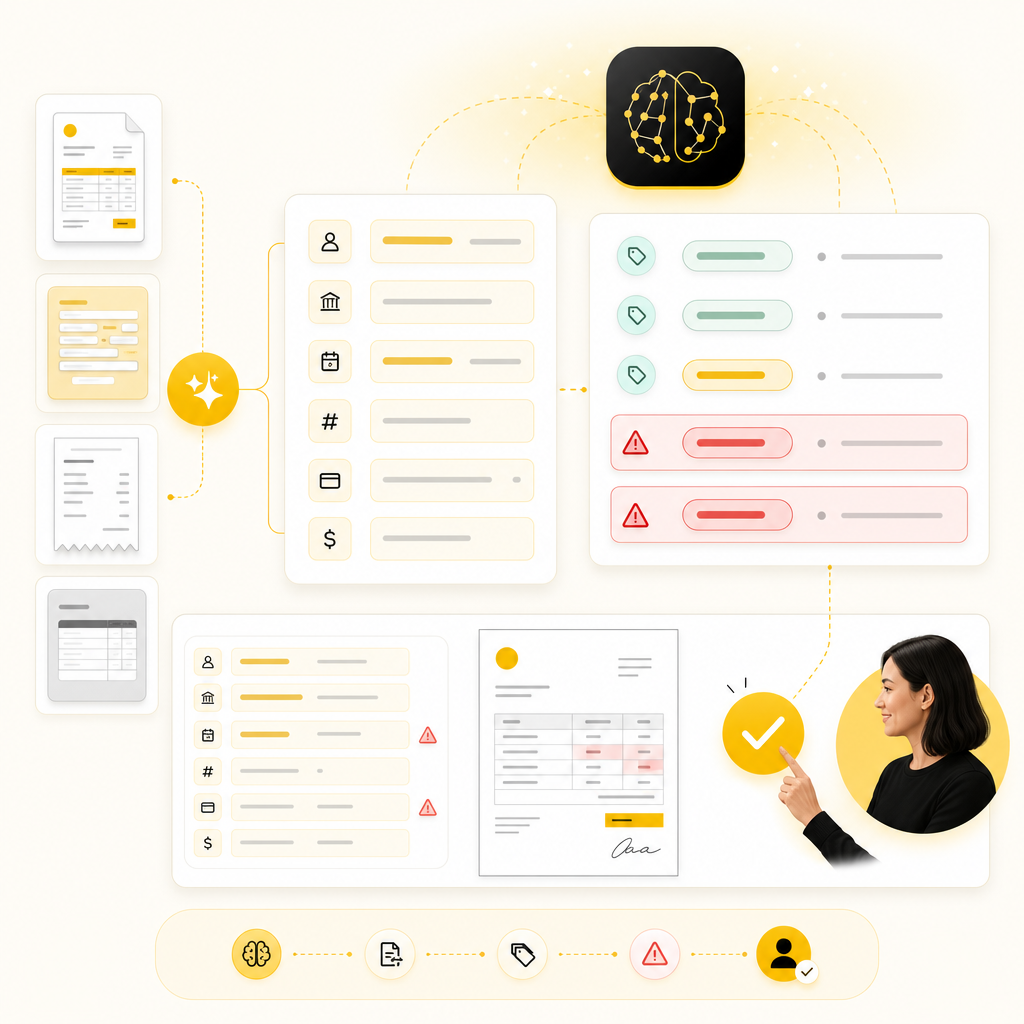
Common AI-powered improvements for spreadsheet-heavy teams include:
AI is most valuable when paired with clean workflow rules, reliable data flows, proper permissions and audit logs.
Reporting that takes hours every week (because data is scattered)
Leads captured in one place and manually updated in another
Customer requests routed through emails and spreadsheets
Billing/invoicing workflows that require repetitive manual checks
“Workflow gaps” where teams copy data between tools instead of integrating them
A growing backlog of admin work that keeps slowing the business down
If that sounds familiar, your next step isn’t “work harder”—it’s building a better system.
Work that repeats daily (or weekly) doesn’t just add time—it adds risk:
Recent 2024 research and workplace analytics consistently point to one theme: repetitive tasks drain capacity that could go into customer growth and product improvement. And as your business grows, manual workflows scale badly—meaning you either hire more people or automate.
To help teams move from “we should automate” to “here’s exactly what to build,” Shakir Ansari offers an IT Automation Presentation style planning framework that typically includes:
If you want, this presentation becomes the foundation for your build plan.
Most spreadsheet systems fail at automation because data formats aren’t consistent.
Instead of copy-paste, we connect tools:
We implement AI for business tasks like:
Automation isn’t “set and forget.”
auto-capture, validate, route
no manual re-entry
live dashboards instead of weekly exports
extract → verify → update
categorize → assign → notify
who approves what, automatically routed
detect missing/duplicate entries
summarize requests and reduce response time
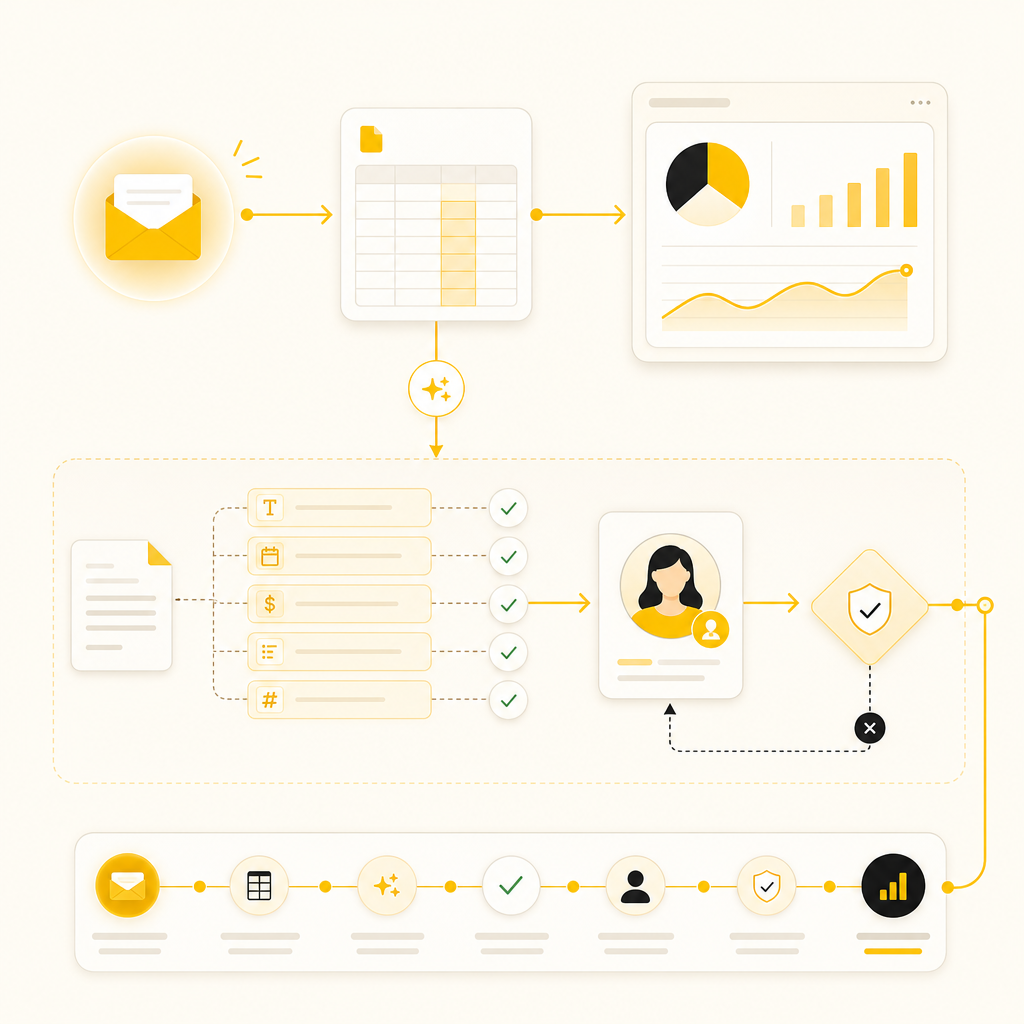
Before:
A customer emails a request → staff copy data into a spreadsheet → staff update internal tools → send status updates manually.
After (Automation + AI):
Your team spends less time typing and more time solving.
Off-the-shelf tools can help—but they often fail when:
your workflow is unique
your data structure is complex
you need multiple systems to work together
you want reliable long-term control and scalability
Shakir Ansari and the RTP team focus on custom-coded digital solutions designed for your exact workflow and growth path.
You get a team built for technical execution and business outcomes:
What we build for growth-ready automation:
(hours/day reduced to minutes)
(validation + automated mapping)
(single source of truth)
(less manual admin work)
into process performance
(without adding disproportionate headcount)
Yes. Most projects start by connecting what you already use (CRMs, forms, email workflows, spreadsheets) and gradually removing manual steps.
We map your workflows and prioritize by: frequency (how often it happens), effort (how manual it is), risk (how often it causes mistakes), impact (time saved + speed gains).
No. AI is used to assist—drafting, extracting, classifying, summarizing, and flagging issues—while people handle approvals and final decisions.
Many teams see early wins in weeks (especially automation for intake, routing, and reporting), with larger integrations and AI enhancements expanding in phases.
Security is part of the implementation—through role-based access, audit logging, and careful integration design. Your data handling requirements can be built into the system.
If your team is tired of repetitive admin tasks, we can help you transition to a connected system built for scale.
Next step:
CTA Button Ideas:
Automate repetitive admin work with AI, APIs, and custom workflows.