
SHAKIR ANSARI

Custom & Backend Development for AI-Ready Web Platforms

If your business idea goes beyond a simple website—think portals, marketplaces, SaaS tools, directories, dashboards, or automation systems—you need more than a template. You need custom web development that connects the front-end experience to reliable back-end logic, databases, integrations, and (when it matters) AI Projects.

This pillar page explains what custom & backend development really involves, why it’s essential for growth, and how full-stack development can turn your platform concept into a scalable, secure, automation-ready product.

Why Entrepreneurs Need More Than “Just a Website”

A website is often a one-way experience: you publish information, users browse, and that’s it. But most platform ideas require ongoing interaction and processing, such as:

  • User accounts, roles, and permissions (portal access)
  • Data collection, workflows, and approvals
  • Search, filtering, bookings, or listings
  • Payments, subscriptions, and invoices (e-commerce and SaaS patterns)
  • Integrations with CRMs, email tools, ERPs, and internal systems
  • Automation for repetitive operations and reporting
  • AI-powered features like recommendations, support agents, document processing, or smart routing

Key takeaway: When your idea requires stored data, business logic, workflows, and integrations, you’re building a web application or platform, not a basic website.

Website vs Web Application: What Does Your Business Actually Need?

Here’s a practical way to decide.

A website is usually enough when you need:

  • Static or mostly static content
  • Simple lead capture (forms/contact pages)
  • SEO-focused pages without complex user actions
  • Basic content publishing

A web application is required when you need:

  • Login and user management
  • Interactive workflows and state changes
  • Admin panels and reporting dashboards
  • APIs connecting services and internal tools
  • Role-based access control and audit trails
  • Automation and background processing
  • Scalable performance for real users and real data

If you’re planning a platform, you’re almost certainly in web application territory—meaning custom & backend development becomes the foundation of your product.

What Custom Web Development Covers (From Front-End to Backend)

Custom web development is the difference between “works on launch day” and “keeps working as you scale.” A full custom build typically includes:

  • Front-end development (UI/UX) with modern frameworks like React
  • Back-end development to handle business logic, authentication, and data rules
  • Database design and management (schemas, indexing, security, integrity)
  • API development to connect front-end, third-party tools, and internal services
  • Admin panels and user dashboards for operations and visibility
  • Security improvements (authentication, authorization, data protection, secure handling)
  • Performance optimization (speed, caching strategies, efficient queries)
  • Ongoing maintenance and feature upgrades as your platform evolves

For entrepreneurs with custom platform ideas, building this end-to-end is how you avoid rework later.

Why Backend Development Is the Real Product

Many teams underestimate backend development because it’s not always visible in the UI. But the backend determines:

  • How users and permissions work
  • How transactions and actions are processed
  • How data is stored, validated, and retrieved
  • How integrations run reliably
  • How automation stays consistent
  • How your system scales under load
  • How secure your platform remains over time

A strong backend supports your platform’s reliability—and makes future AI Projects easier to add because your data and workflows are already structured.

Core Components of a Scalable Platform Build

When you commission custom & backend development, your platform typically includes these core building blocks:

Abstract modular platform components representing user portals, databases, admin dashboards, APIs, and automation-ready integrations in warm near-white and gold tones, with no readable text or interface labels.

1) User Portals and Role-Based Access

Portals are common for SaaS tools, CRMs, booking platforms, marketplaces, and internal dashboards. Good systems include:

  • Registration and authentication
  • Roles (admin, manager, user, vendor, etc.)
  • Permissions and access control
  • Activity logs (auditability)

2) Databases Designed for Real Growth

A platform’s database must support:

  • Clean data models and relationships
  • Query performance with proper indexing
  • Safe migrations and versioning
  • Data security and privacy rules

3) Admin Panels and Operational Dashboards

Admin panels aren’t “nice to have.” They help you manage:

  • Users and content
  • Orders/transactions
  • Support workflows
  • Reporting and performance monitoring

4) APIs That Connect Everything

APIs are what turn a standalone app into a connected system. With APIs, you can link:

  • Websites and mobile apps
  • CRMs/ERPs
  • Payment systems
  • Marketing tools and automation platforms
  • Internal workflows and background jobs

5) Integration Workflows and Automation-Ready Architecture

If you want to save time and reduce manual work, the architecture should support:

  • Event-driven updates
  • Background processing
  • Scheduled jobs
  • Webhooks and third-party triggers

How AI Projects Fit Into Full-Stack Development

AI Projects work best when your platform has strong data flows and reliable workflows. Common AI-ready features include:

  • Customer support copilots connected to your knowledge base
  • Automated document processing (extract, classify, route)
  • Recommendation systems for content, listings, or products
  • Smart lead scoring and funnel automation
  • Ops automation (summaries, anomaly detection, workflow suggestions)

With full-stack development, AI features can plug into your backend APIs and automation processes—so AI becomes a functional part of your product, not a separate experiment.
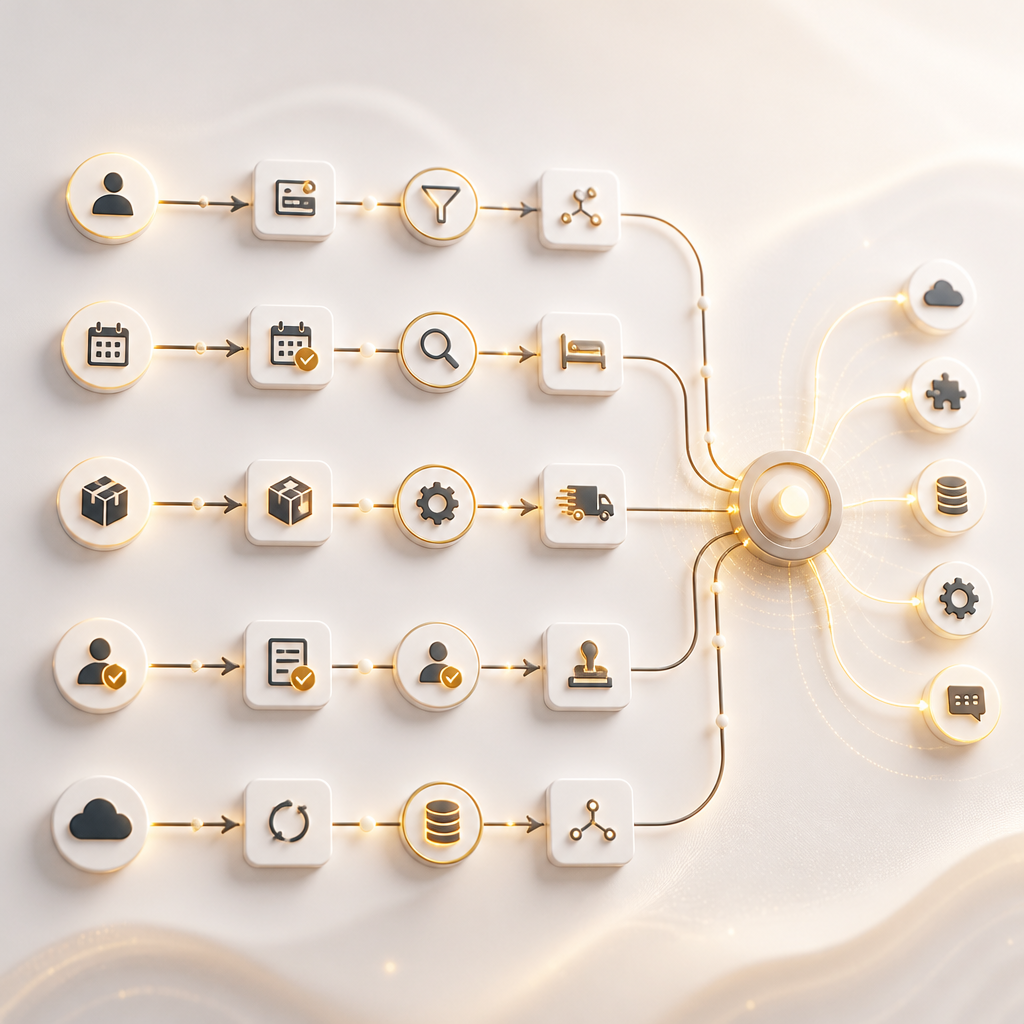
Abstract automation workflow streams and connected integration nodes showing lead intake, bookings, orders, approvals, and data syncing in warm gold and near-white tones, with no readable text or labels.

Automation and Integrations: Replacing Manual Work

Entrepreneurs often start with “we’ll handle it manually at first.” But platform growth quickly makes manual processes expensive.

Custom web development helps you replace manual work by automating tasks like:

  • Lead intake → CRM creation → email follow-up
  • Booking requests → availability checks → confirmation messages
  • Order events → fulfillment workflow → invoice generation
  • Admin approvals → notifications → role updates
  • Data syncing across tools via APIs

A single full-stack development approach helps keep these workflows consistent across UI, backend, and integrations.

Real-World Platform Examples You Can Build

If you’re planning a platform, these are common system types that benefit from custom & backend development:

  • Booking platforms with schedules, availability, and confirmations
  • Multi-tenant portals for agencies, communities, or memberships
  • Marketplaces with vendor onboarding, listings, and order flows
  • Dashboards and reporting systems for operational visibility
  • CRM extensions or internal tools integrated with business processes
  • SaaS products with subscriptions, user management, and usage tracking
  • AI-enabled business tools that support decision-making and automation

The common thread: all of these require backend logic, data models, APIs, and secure workflows.

Advantages of Custom Development for Long-Term Business Growth

Generic templates and off-the-shelf software can be fine early on—but they often limit your ability to:

  • Customize workflows to match how your team actually operates
  • Scale performance as user volume grows
  • Add integrations without fighting rigid systems
  • Build unique features that differentiate your product
  • Maintain a consistent architecture when requirements change

Custom web development is built for your specific use case—so your platform becomes a growth asset instead of a constraint.

Why One Team for Full-Stack Development Matters

When front-end and back-end are handled by separate teams without a shared system design, common issues appear:

  • UI changes that break backend logic
  • Data mismatches between screens and APIs
  • Delayed integration work late in the project
  • Inconsistent security or authentication handling
  • Hard-to-maintain code when scaling starts

Full-stack development brings these parts together, helping ensure:

  • A unified technical plan from idea to launch
  • Cleaner API contracts and smoother integration
  • Faster iteration between product design and system behavior
  • Consistent performance and security improvements

For entrepreneurs, this can reduce risk and speed up time-to-launch.

Performance, Security, and Scalability: Non-Negotiables

As your platform grows, these become critical:

Performance

  • Efficient database queries
  • Smart caching and optimized page/API responses
  • Reduced load times across critical user flows

Security

  • Secure authentication and authorization
  • Protection for sensitive data
  • Safer API handling and validation
  • Session security and audit-friendly access controls

Scalability

  • Architecture that supports increased users and transactions
  • Monitoring-ready components
  • Clean patterns for extending features over time

A platform built with these priorities can support real customers instead of only demos.

Abstract performance-speed pathways, security shield geometry, and scalable expanding network nodes in warm gold and near-white with dark neutrals, without any readable text or interface elements.

From Idea to Launch: A Practical Full-Stack Path

If you’re moving from concept to a real platform, a typical end-to-end approach includes:

  1. Discovery and platform planning
    • Define user roles, workflows, and data needs
  2. System design
    • Architecture, database plan, API map, security approach
  3. Front-end and back-end development
    • Build core UI and reliable business logic
  4. Integrations and automation
    • Connect CRMs, payment tools, messaging, and internal workflows
  5. AI Projects integration (if required)
    • Add AI features based on structured data and workflows
  6. Testing and hardening
    • Validate performance, security, and reliability
  7. Launch and iterative improvements
    • Ongoing maintenance and feature upgrades

This is how you go from “idea” to a platform that users can trust.

FAQ: Custom & Backend Development for Entrepreneurs

1) What is custom & backend development?

Custom & backend development is the work required to build your platform’s server-side logic, databases, APIs, authentication, and integrations—tailored to your specific workflows instead of using a generic framework out of the box.

2) Do I need a web application instead of a website?

If your product involves user accounts, interactive workflows, admin dashboards, stored data, payments, or integrations, you likely need a web application (and therefore backend development).

3) What APIs do platforms typically use?

Common APIs connect your platform to CRMs, payment gateways, email/marketing tools, messaging services, analytics, and internal business systems. APIs also allow your front-end and back-end to communicate cleanly.

4) How do AI Projects connect to a platform?

AI Projects integrate through backend services and APIs—feeding data into models and returning results into workflows, dashboards, or automated actions.

5) Why is scalability important for custom web development?

Scalability ensures your platform performs well as users, transactions, and data grow. A scalable backend and database design prevent slowdowns and reliability issues later.

Conclusion: Build a Platform That Operates Like a System

If you’re an entrepreneur with a custom platform idea, your success depends on building more than screens—you need an automation-ready system with custom web development, strong backend development, secure APIs, and a structure that can support AI Projects when you’re ready.

A full-stack approach helps you launch a product faster, integrate smoothly, and improve it without constant rewrites—so your platform supports growth instead of limiting it.

CTA

Explore full-stack development servicesto turn your platform idea into a scalable web application—front-end, backend, APIs, integrations, and automation-ready architecture built for your business goals.