
SHAKIR ANSARI
AI Scheduling & Appointment Automation

AI Scheduling & Appointment Automation for Businesses

Appointment-based businesses don’t lose sales because they lack customers—they lose sales because scheduling is manual.
Book a call →

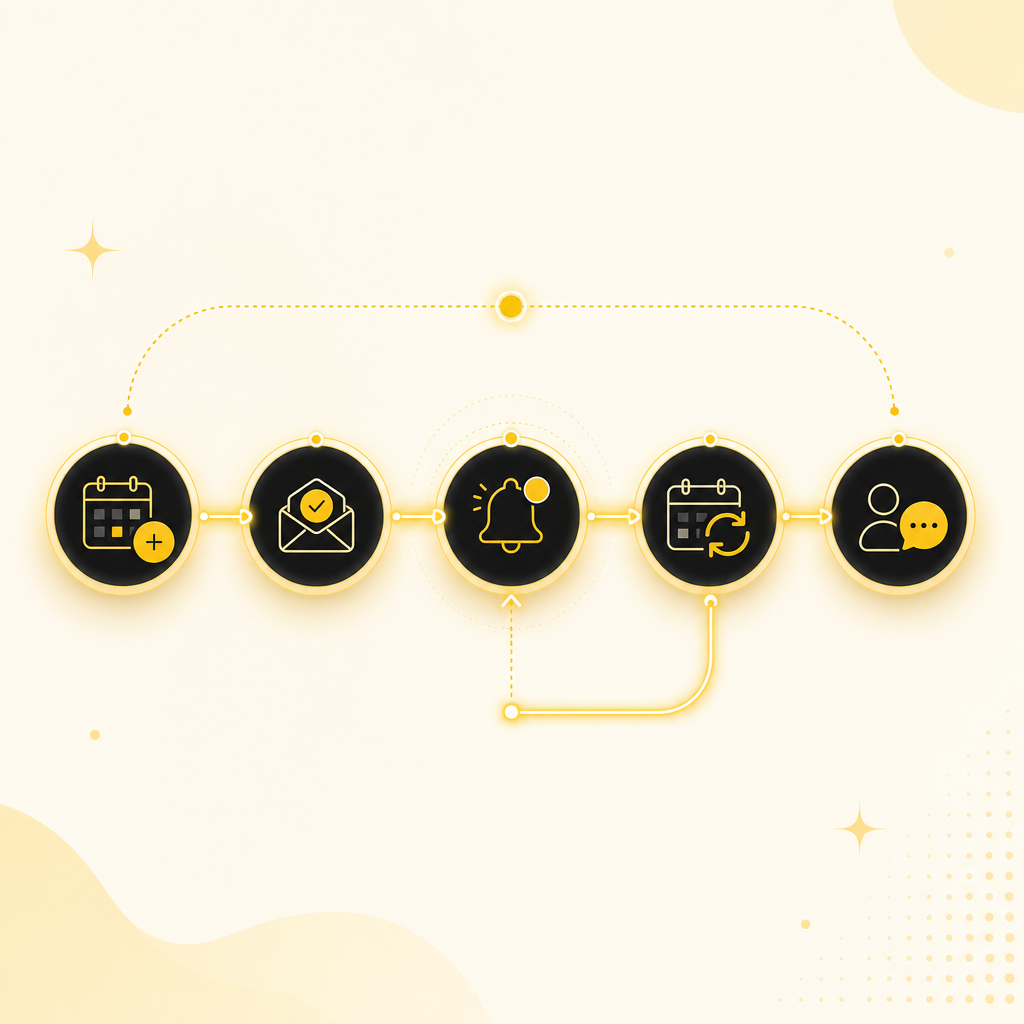
Build AI scheduling that automates booking, confirmations, reminders, reschedules, intake forms, follow-ups, and calendar sync—custom for your business.
Modern illustration showing end-to-end AI scheduling automation flow.
1
End-to-End Automation

AI Scheduling That Automates Bookings End-to-End

When every booking, confirmation, reminder, reschedule, and follow-up depends on someone checking calendars and sending messages, your team gets overloaded and your customers wait. That’s where AI scheduling and automation come in.

Shakir Ansari – Full Stack Developer & AI Automation Solutions builds custom AI automation solutions that remove repetitive work and create smarter appointment workflows—without forcing you to replace your existing systems.

The Problem Appointment-Based Teams Face

Manual scheduling and admin follow-ups create bottlenecks across the customer journey:

  • Leads don’t get a fast response (or they get ignored)
  • Customers reach out multiple times to confirm availability
  • Appointments get missed due to unclear details
  • Reschedules are slow, inconsistent, and error-prone
  • Intake forms are sent late (or collected incorrectly)
  • Teams spend hours updating calendars and CRMs
  • Follow-ups and reporting don’t happen reliably

The result: slower response times, lower show rates, and more work for your team.

2
How It Works

What Is AI Scheduling (and Why It Works)?

AI Scheduling uses intelligent automation to handle the scheduling lifecycle automatically—from the first request to final follow-up.

Instead of your team manually coordinating every step, AI-powered workflows can:

  • Capture appointment requests through forms, chat, or web widgets
  • Ask for the right details at the right time (intake automation)
  • Automatically confirm availability and book appointments
  • Send confirmations and reminders (email/SMS)
  • Handle rescheduling requests instantly
  • Trigger follow-ups and post-visit workflows
  • Update calendars and synchronize with your tools

This is part of broader AI automation services—connecting systems, reducing manual work, and improving operational efficiency.
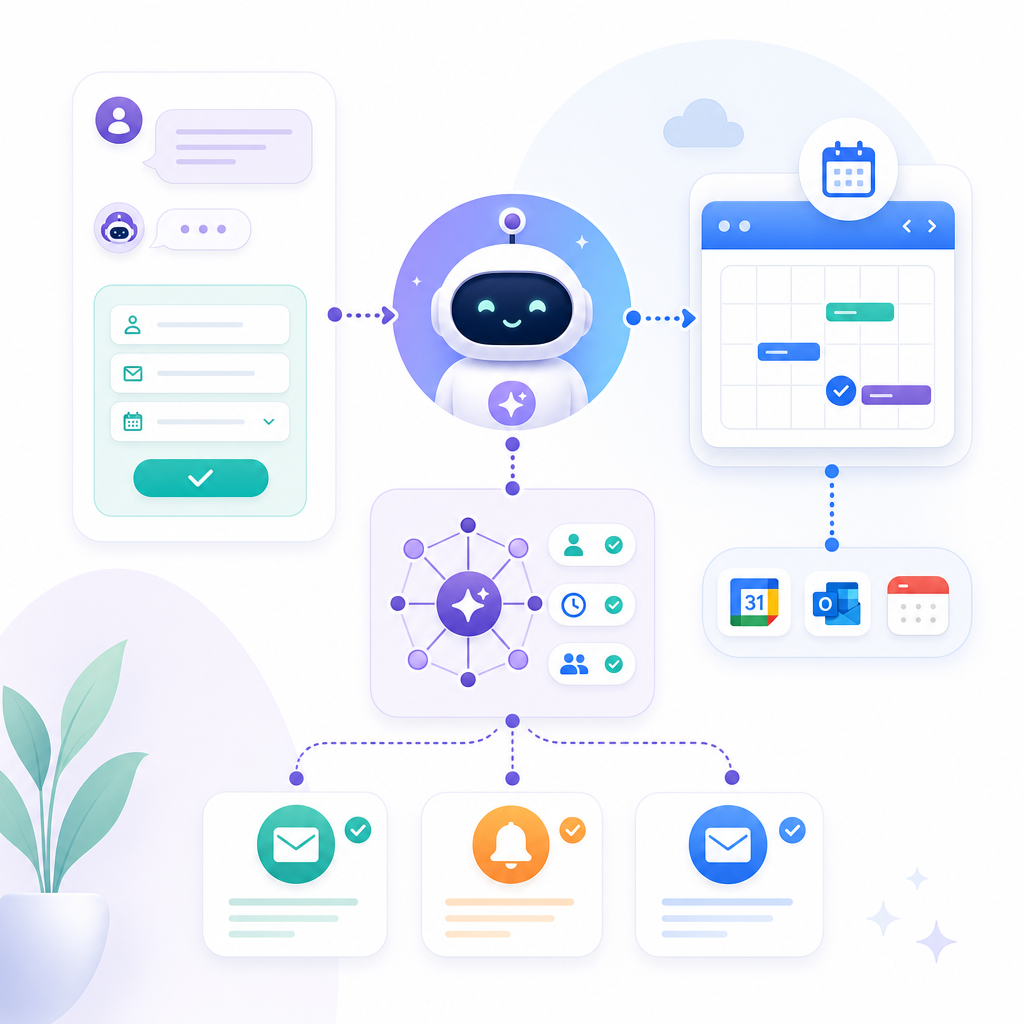
Premium illustration explaining how AI scheduling automates the scheduling lifecycle and calendar sync.

Designed for Appointment-Based Businesses

This pillar page is for businesses that rely on bookings and need automation for:

  • Scheduling
  • Confirmations
  • Reminders
  • Rescheduling
  • Intake forms
  • Follow-ups
  • Calendar integrations

Whether you run a service practice, a consulting firm, a wellness brand, or a customer-facing business with recurring appointments, AI Scheduling helps you stay responsive while staying organized.

The AI Scheduling Automation Stack You Can Build

Here’s what a practical, production-ready AI appointment automation solution typically includes.

1) Automated Booking Requests

  • Website forms
  • Chat/AI assistants
  • Landing-page CTAs
  • Email intake (optional)
  • Existing lead capture workflows (optional)

2) AI-Driven Availability + Smart Scheduling

  • Service duration and buffers
  • Business hours
  • Team member calendars
  • Location or remote service options
  • Appointment type logic (new vs. returning, etc.)

3) Confirmations and Reminders (On Time, Every Time)

  • Immediate confirmation after booking
  • Reminder sequences (e.g., 24 hours and 2 hours before)
  • Conditional messaging (if a reschedule happens, update reminders)

4) Rescheduling Without the Back-and-Forth

  • AI captures the request
  • Offers available time slots
  • Books the new appointment
  • Updates the calendar
  • Sends updated confirmation/reminders automatically

5) Intake Forms That Don’t Feel Like Admin Work

  • Smart intake questions based on appointment type
  • Progress-saving forms (optional)
  • Validation and formatting
  • Auto-generation of summaries for staff

6) Follow-Ups and Next Steps

  • Send “thanks + next steps” messages
  • Trigger referrals, reviews, or onboarding sequences
  • Create internal tasks for follow-up needs
  • Update records automatically

7) Calendar Integrations and Two-Way Sync

  • Google Calendar / Microsoft Outlook (typical)
  • Booking calendars and scheduling tools (where applicable)
  • CRM updates automatically after booking/reschedule
  • Team scheduling consistency across systems

Real-World Use Cases (Practical, Not Theoretical)

AI scheduling isn’t about novelty—it’s about removing the repeating tasks that slow your team down.

Lead Handling → Appointment Booking

  • Convert inbound leads into booked appointments faster
  • Qualify requests automatically (service type, urgency, preferred times)
  • Follow up only when needed—no manual “check-ins”

Customer Support Automation Around Appointments

  • Answer questions about availability, pricing windows, location, and timing
  • Route urgent issues to the right team while still offering booking options
  • Reduce “Where can I book?” messages

Admin Automation for Busy Teams

  • Automatically generate appointment summaries
  • Update CRM and internal systems after booking
  • Reduce copy/paste and status-checking work

Follow-Ups, Reports, and Workflow Triggers

  • Trigger sequences based on appointment status (booked, confirmed, completed, no-show)
  • Improve operational visibility with automated reporting

Why Custom AI Scheduling Beats “One-Size-Fits-All” Tools

Generic scheduling tools are fine until your business has real workflow complexity—multiple service types, team members, special rules, multi-step intake, or tool connectivity.

A custom-coded AI scheduling system can:

  • Fit your exact booking rules
  • Use your preferred tools (CRM, messaging, forms, internal apps)
  • Create workflows tailored to your processes
  • Add AI capabilities gradually as you scale

Shakir Ansari’s team builds automation systems that connect what you already use—through API integrations, full-stack development, and AI-powered workflows.

Led by Expertise in AI Automation

Your automation shouldn’t be built by guesswork—it should be engineered for reliability, data flow, and maintainability.

With 10+ years of experience and 1,300+ web applications developed, shakiransari and the RTP team have the depth to build:

  • Full-stack appointment automation systems
  • Reliable workflow automation
  • AI-powered tools and agents
  • Integrations between third-party platforms
  • Scalable SaaS-ready architecture (when needed)

And as your engagement is scoped and developed, you get hands-on guidance from a technical AI automation approach—built around the kind of automation strategy you’d expect from a Director of AI & Automation: practical, measurable, and designed to work with your business systems.

What You’ll Get From Shakir Ansari & RTP

When you build an AI Scheduling automation solution with us, you can expect a delivery approach focused on outcomes:

  • Reduced manual scheduling and follow-up work
  • Higher show rates with reliable confirmations/reminders
  • Fewer errors via automated rescheduling and record updates
  • Better response times for inbound leads
  • Smooth integration between your tools and calendars
  • Custom workflows that match how your team actually operates

We help businesses build, improve, and automate digital systems through:

If you’re looking for custom web development sevices, the approach is the same: connect systems, automate workflows, and keep your scheduling lifecycle reliable.
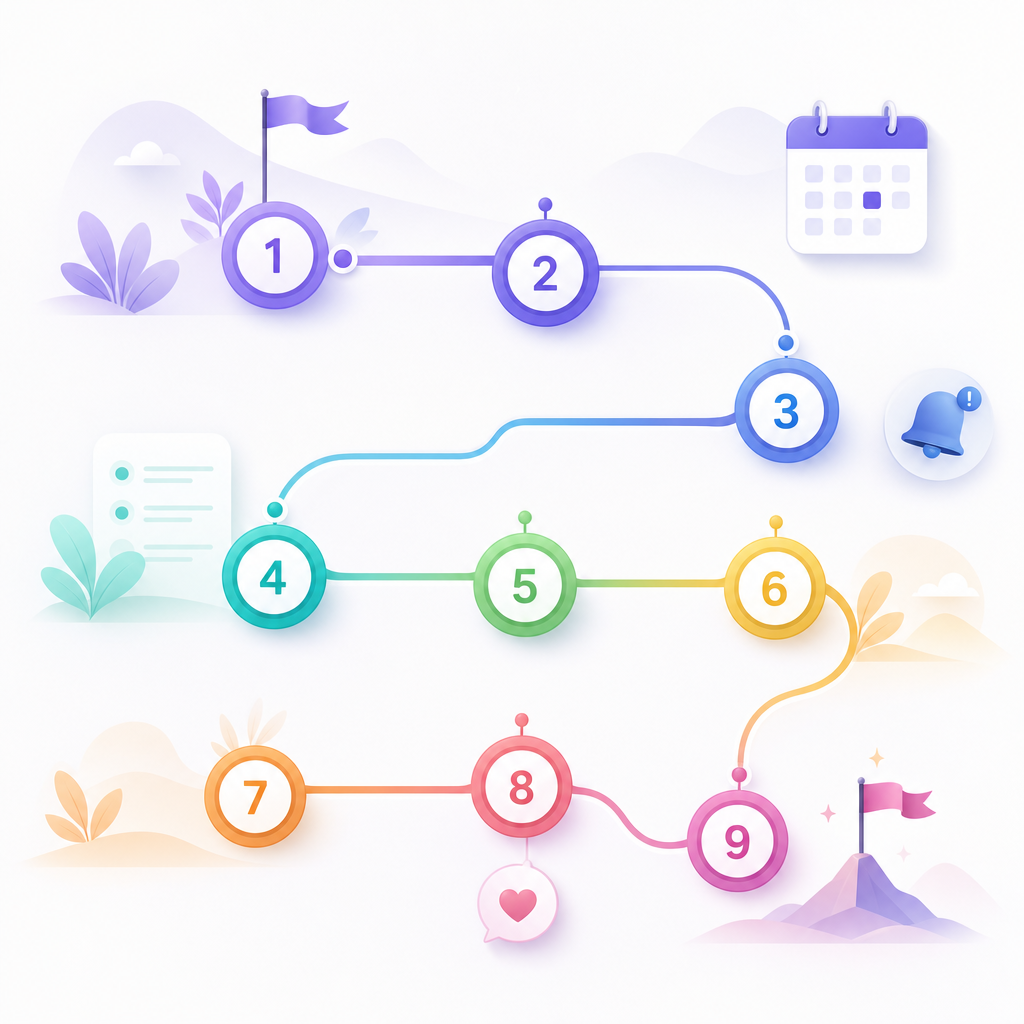
Illustration showing a step-by-step AI scheduling workflow journey from request to follow-up.
3
Customer Journey

How the AI Scheduling Workflow Typically Works

Here’s a simple end-to-end example of what your customer journey can look like:

  1. Customer requests an appointment
  2. AI collects the required details (service, timing preferences, intake answers)
  3. System checks availability across staff calendars
  4. AI offers and confirms the best available slot
  5. Confirmation message goes out automatically
  6. Reminder messages send automatically before the appointment
  7. If the customer reschedules, the workflow updates everything
  8. Staff receives intake details and appointment summary
  9. Follow-up tasks and messages trigger after completion

The goal: faster response times, fewer missed appointments, and less admin work.

Implementation Approach (What Happens Next)

Every project starts with clarity: what you want to automate, where the bottlenecks are, and what tools you already rely on.

Step 1: Automation Audit

  • Where do appointments originate?
  • What’s currently manual?
  • What systems need syncing?
  • What intake and follow-up steps matter most?

Step 2: Workflow Design

  • Scheduling logic and rules
  • Intake automation steps
  • Messaging and reminder sequences
  • Rescheduling rules and edge cases

Step 3: Build + Integrate

  • Automation logic + UI components (forms/chat if needed)
  • Calendar and CRM integrations
  • Test for reliability and data consistency

Step 4: Launch + Optimize

  • Monitor performance
  • Adjust rules and messaging based on outcomes
  • Expand automation as your business grows

Get a Custom AI Scheduling Plan

If you’re ready to stop losing time to scheduling admin, you can build an AI-powered appointment workflow that runs reliably in the background.

Request a consultation with Shakir Ansari – Full Stack Developer & AI Automation Solutions and we’ll map out an AI scheduling system tailored to your business needs.

Book a call →

Frequently Asked Questions

1) What does AI scheduling automate?

AI scheduling can automate lead-to-booking, availability checks, confirmations, reminders, intake collection, rescheduling, follow-ups, and calendar integrations.

2) Do we need to replace our current calendar/CRM?

No. The goal is usually to integrate with what you already use through API integrations and workflow automation.

3) Can AI scheduling handle reschedules automatically?

Yes. A well-designed system can capture reschedule requests, offer available time slots, update calendar entries, and send new confirmations/reminders automatically.

4) What about intake forms—can they be automated?

Yes. Intake can be automated based on appointment type and workflow needs, with validation and staff-ready summaries.

5) Will this work for multiple appointment types and multiple team members?

Custom AI scheduling workflows can support complex business rules like multiple services, durations, staff assignment logic, and business hours.

6) Does AI scheduling reduce no-shows?

It typically helps by sending consistent confirmations and reminders, reducing confusion and last-minute drop-offs.

7) Can this include customer support or chat?

Yes. AI can guide customers to book, answer scheduling questions, and route edge cases appropriately—without turning your team into a support desk.

8) How long does it take to build?

Timeline depends on integrations, workflow complexity, and whether you need new UI components (forms/chat). After an audit, we provide a clear build plan.

Ready to Automate Appointments With AI Scheduling?

Appointment-based businesses don’t need more meetings—they need smarter systems.

Build AI automation that removes repetitive tasks, connects your tools, and keeps customers moving smoothly from inquiry to booked appointment to follow-up.

Talk to Shakir Ansari & RTP →

Book AI scheduling support and automation consulting for your appointment workflow.