
SHAKIR ANSARI

AI Automation Toolkit for Real Estate Lead Work

Real estate moves fast—your leads do too. But manual follow-ups, scattered inboxes, and slow scheduling can cost conversions. This pillar page breaks down a practical AI Automation toolkit and workflow automation approach that helps real estate teams respond faster, qualify smarter, and keep your CRM always updated—without replacing your existing systems.

Respond faster
Turn intake into an always-on pipeline so your team can keep up.

Keep your CRM updated
Automate CRM updates and activity logging as events happen.

Request a Demo / Consultation

AI Automation Toolkit for Real Estate Agencies (Buyer + Seller Inquiries)

This pillar page breaks down a practical AI Automation toolkit and workflow automation approach that helps real estate teams respond faster, qualify smarter, and keep your CRM always updated—without replacing your existing systems.

Built for real estate agencies that need automation for:
  • Buyer & seller inquiries
  • Lead qualification
  • Property alerts
  • Appointment scheduling
  • Follow-ups
  • CRM updates
Powered by custom AI solutions

Powered by custom AI solutions from shakiransari – Full Stack Developer & AI Automation Solutions (10+ years, 1300+ apps, RTP team).
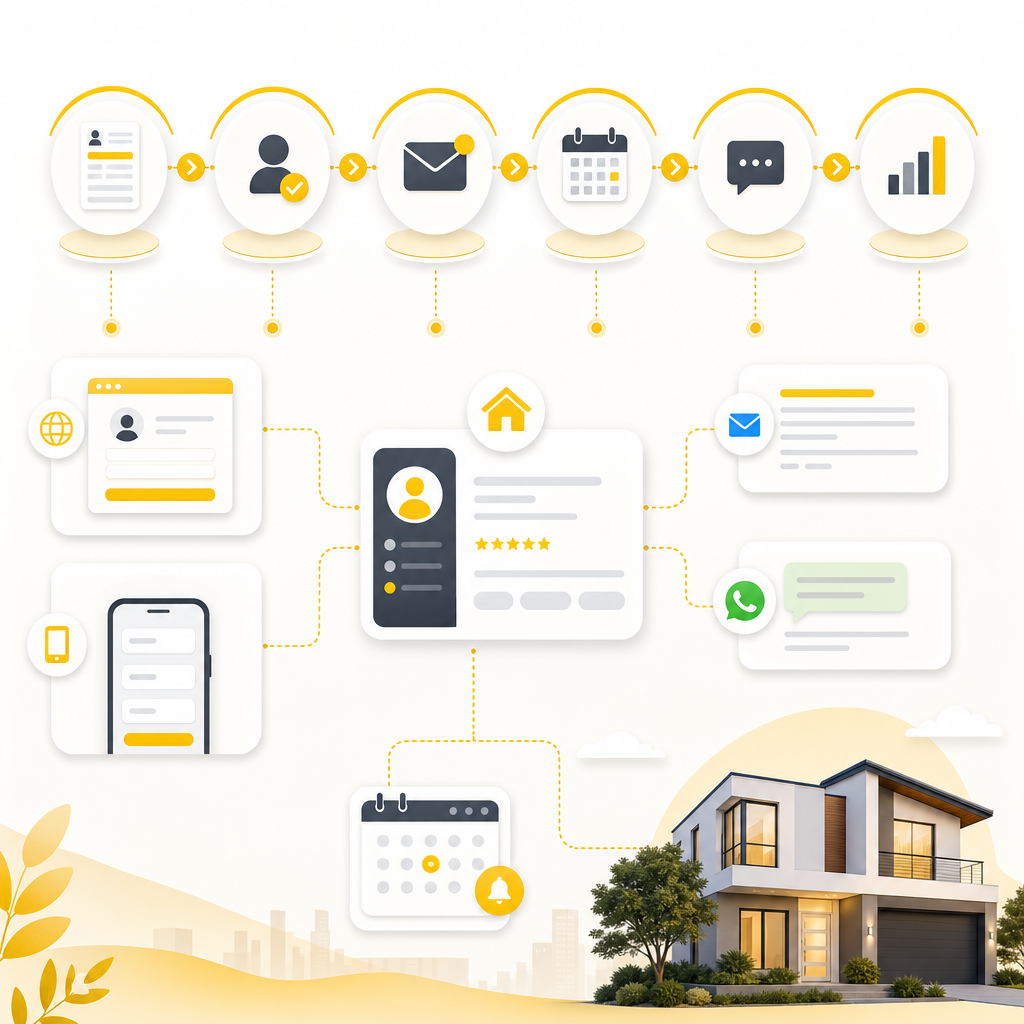
Illustration of an always-on real estate lead workflow pipeline connecting intake, CRM, and scheduling.

Why Real Estate Agencies Need Workflow Automation (Right Now)

Most lead “leakage” isn’t because agents aren’t working—it’s because the process is fragmented:

  • Leads arrive via forms, calls, email, social, landing pages, WhatsApp, and listings portals
  • Someone has to copy details into the CRM
  • Nobody sends the right message at the right time every time
  • Scheduling happens late (or manually), creating missed appointments
  • Follow-ups depend on memory and availability

AI automation fixes the gaps by turning your intake → qualify → respond → schedule → follow-up → report pipeline into an always-on system.

What Is AI Automation in Real Estate?

AI Automation uses AI-powered tools, workflows, chatbots, and agents—plus API integrations—to automate repetitive tasks, improve response times, and keep data synced across systems.

In a real estate agency, that commonly includes:

  • Auto-triage of buyer/seller inquiries
  • Lead qualification & tagging
  • Property recommendations and alerting
  • Appointment booking and confirmation reminders
  • Follow-up sequences (email/SMS/WhatsApp)
  • CRM updates and activity logging
  • Admin task automation and document generation (where needed)
  • Reporting and internal notifications for your team

The goal isn’t to replace your agents—it’s to remove repetitive daily work so your team can focus on high-value conversations and closing.

The AI Automation Toolkit (Built for Real Estate Teams)

Think of your automation stack as a toolkit with reusable components. You can implement them gradually—or build a full end-to-end system.

The outcome is consistent, faster lead handling across your whole pipeline.

1

Lead intake → qualify → respond → schedule → follow-up → report

2

CRM stays accurate with activity logging
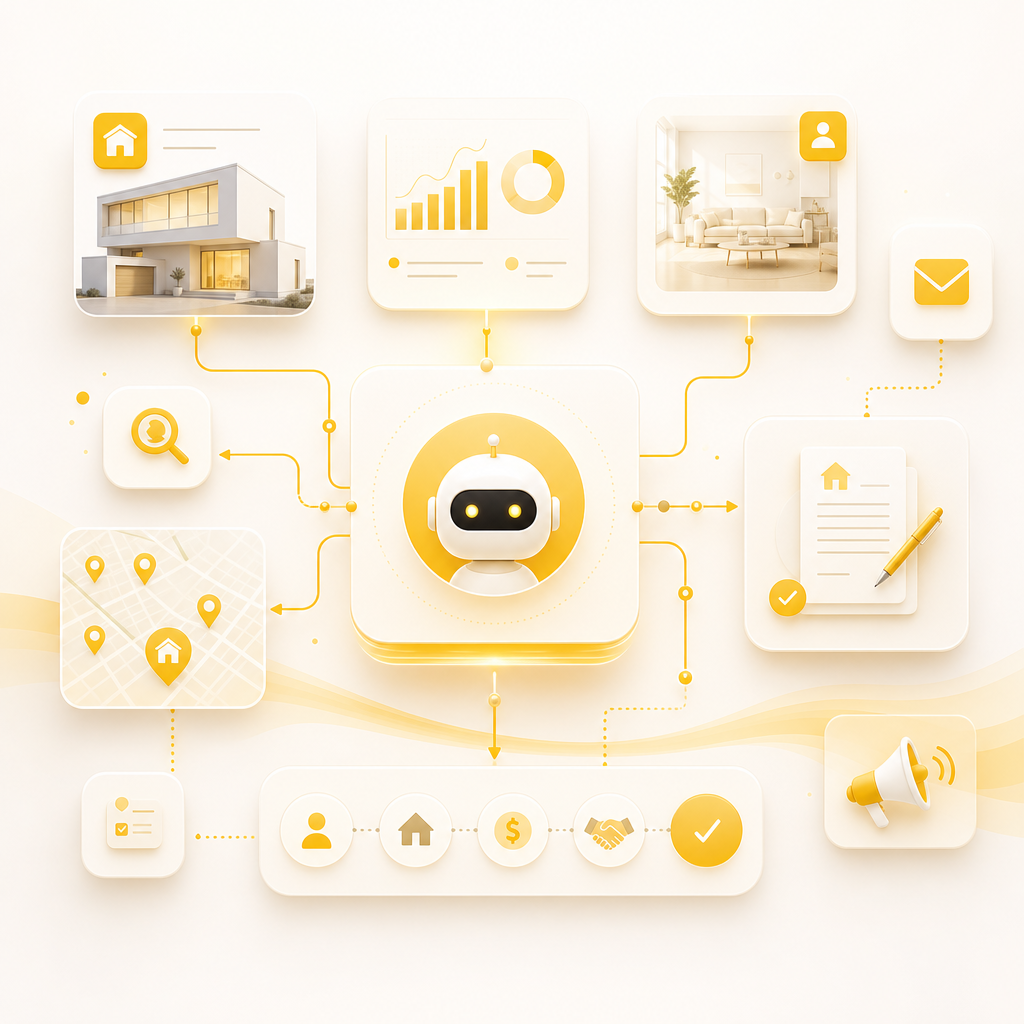
Illustration of modular AI automation components for real estate lead workflows.

AI Automation Components

Use these reusable blocks to build automation you can deploy step by step.

1

Lead Intake + Data Normalization

Automates how leads enter your system:

  • Capture from website forms, chat widgets, landing pages
  • Convert messages into structured lead data (name, intent, budget, timeframe, property type)
  • Identify source and campaign attribution
  • Store everything consistently for CRM syncing

Outcome: Cleaner CRM records and fewer manual copy/paste steps.

2

AI Lead Qualification & Routing

AI can help answer: “Is this a qualified lead—and where should it go?”

  • Score leads based on intent and readiness
  • Detect buying vs. selling vs. renting
  • Identify budget ranges, location preferences, and timelines
  • Auto-tag leads and assign to the right agent or team queue

Outcome: Faster response + more qualified conversations.

3

Smart Property Alerts & Recommendations

Instead of manual outreach, automate matching:

  • Trigger alerts when a listing matches criteria
  • Send “new matches” to buyers automatically
  • Notify sellers about market activity or lead interest (optional)
  • Update preferences when users refine their requirements

Outcome: More engagement without adding admin workload.

5

AI Chatbots + Virtual Assistants (When You Need Them)

Use AI-powered chat to capture and route leads:

  • Answer common questions (availability, process, documents, areas)
  • Gather details to qualify leads
  • Hand off to an agent when intent is high

Outcome: 24/7 lead capture + instant responses.

6

Follow-Up Workflows That Never Miss

Automate follow-ups based on timeline and behavior:

  • If no response → send a structured follow-up sequence
  • If they viewed a property page → tailor messaging
  • If an appointment was booked → send pre-visit info
  • If a lead is stale → re-engage with relevant listings

Outcome: Consistent nurturing that increases conversions.

7

CRM Updates + Activity Logging (Always On)

A strong automation system keeps your CRM accurate:

  • Create/update leads on intake
  • Add tags, scores, and conversation notes
  • Record appointment events, reminders, and outcomes
  • Sync property interests and alert history

Outcome: Real-time pipeline visibility for your team.

Illustration of automated appointment scheduling with calendar, confirmations, reminders, and CRM logging.

Appointment Scheduling Automation

Reduce scheduling friction with workflow automation:

  • Offer available times via calendar integrations
  • Auto-confirm appointments (email/SMS/WhatsApp)
  • Send reminders and reschedule links
  • Log appointment details back into CRM

Outcome: Higher show rates and less back-and-forth.

Real Estate Use Cases (High-Impact Automation Examples)

Below are practical, conversion-focused automations most agencies can benefit from immediately.

Buyer Inquiry Automation (Website → Qualification → Response)

Problem: Leads submit forms, then wait for a response.

Automation: AI extracts intent + budget + location and triggers:

  1. Instant acknowledgment message
  2. Qualification score + tags
  3. Suggested next steps (call/booking/property list)
  4. CRM update and agent assignment

Seller Inquiry Automation (Valuation Lead → Follow-Up → Call Booking)

Problem: Seller leads get delayed because valuation requests need context.

Automation: AI confirms required info (address, timeline, property details) and triggers:

  • Document collection prompts (if applicable)
  • Scheduling link for valuation appointment
  • Automated follow-up if they don’t book within X hours/days
  • CRM record + task creation for the assigned team member

Lead Qualification + Nurture Sequences (Behavior-Based)

Problem: All leads get the same generic follow-up.

Automation: Segment leads using AI + rules:

  • Buying intent vs. browsing intent
  • Urgency score (timeline fit)
  • Interest in specific communities
  • Appointment likelihood signals

Then send tailored sequences:

  • Relevant listings
  • Market insights
  • Buyer/seller checklists
  • Reminder messages around engagement windows

Property Alerts (Stop Manual “Did You See This?” Messaging)

Problem: Alerts are inconsistent and time-consuming.

Automation: Automatically send alerts when new listings match saved preferences, and update preferences when a buyer changes criteria.

Appointment Scheduling + Reminders (Cut No-Shows)

Problem: Manual scheduling leads to confusion and missed appointments.

Automation: Calendar availability → confirmation → reminders → CRM logging.

How to Build This Without Replacing Your Current Systems

A common fear: “AI will break our workflow or replace our tools.”

A better approach: integrate AI into your existing stack.

Typical integration points include:

  • CRM (lead creation, notes, tags, stages)
  • Calendar (availability, confirmations)
  • Email/SMS/WhatsApp providers (routing and sequences)
  • Listing sources and property databases (property alerts)
  • Custom web forms and landing pages (intake)
  • Internal dashboards and reporting tools (team visibility)

Result: your team keeps what works—automation handles the busywork.

Integration-first approach

Connect your current CRM, calendar, messaging tools, and forms so you don’t need to rebuild your entire stack.

A system that logs everything transparently helps your team stay aligned.

Implementation Roadmap (From Quick Wins to Full Automation)

Phase 1: Audit + Automation Targets (Week 1–2)

  • Map your current lead flow (channels → CRM → follow-ups)
  • Identify bottlenecks and manual steps
  • Select 2–3 “quick win” workflows

Deliverable: Automation plan with measurable goals (speed to lead, response rate, booked appointments).

Phase 2: Build Core Integrations + Lead Automation (Week 2–4)

  • Set up lead intake and normalization
  • Connect CRM and calendar
  • Deploy AI lead qualification + routing
  • Launch first follow-up sequence

Deliverable: Working automation for buyer/seller intake.

Phase 3: Expand to Alerts + Scheduling + Agent Assist (Week 4–6)

  • Property alerting logic
  • Appointment booking and reminders
  • AI chatbot/assistant for FAQs and lead capture
  • CRM activity logging and reporting

Deliverable: End-to-end lead-to-appointment automation.

Phase 4: Optimize + Improve Conversion (Ongoing)

  • Improve scoring and routing rules
  • A/B test messaging sequences
  • Add escalation paths for hot leads
  • Generate internal performance reports

Deliverable: Continuous conversion lift.

What Shakir Ansari & RTP Team Deliver for Real Estate AI Automation

With 10+ years and 1300+ web applications, Shakir Ansari and the RTP team build custom-coded automation systems tailored to your agency’s workflow—including:

  • Custom web development and full-stack applications
  • CRM-connected automation systems
  • API integrations across third-party tools
  • SaaS-style solutions for scalable operations
  • AI-powered agents and workflow automation
  • SEO-aware landing experiences to generate higher-intent leads

Simple positioning: custom AI automation solutions that help businesses save time, reduce manual work, and operate more efficiently.

If you want to focus on ai automation services, the delivery is built around your workflows and integrations.

For SEO-aware experiences, explore seo services.

ROI: What Your Agency Can Expect

While results vary by market and lead volume, agencies typically improve:

  • Speed to lead (instant response + instant routing)
  • Lead-to-appointment rate (less drop-off)
  • Show-up rates (automated reminders)
  • Admin time saved (less CRM updating and follow-up work)
  • Pipeline cleanliness (consistent data and tagging)

The best part: once built, the system keeps running while your team closes deals.

Frequently Asked Questions

Is AI automation safe for real estate lead handling?

Yes—when implemented properly with secure integrations, controlled data flow, and clear permissions. Your CRM remains the system of record, and automation can log activities transparently for your team.

Will AI replace our agents?

No. AI should handle repetitive admin work (qualification, routing, follow-ups, alerts) and assist with customer responses—agents still handle relationship-building and closing.

How long does it take to launch?

Many agencies see first automation in 2–4 weeks depending on integrations, lead sources, and CRM setup. Full end-to-end systems typically roll out in stages.

Can you integrate with our existing CRM and tools?

Yes. The approach is typically integration-first: connect your current CRM, calendar, messaging tools, and forms so you don’t need to rebuild your entire stack.

Get a Custom AI Automation Plan for Your Real Estate Agency

If you want to reduce manual lead work, improve response time, and automate scheduling + follow-ups, we can build your automation toolkit around your current systems.

What you’ll get:
  • A workflow audit of your buyer/seller inquiry process
  • A recommended AI automation toolkit roadmap
  • Estimated timeline and integration plan
Request a Demo / Consultation

Map your workflows and identify the fastest paths to measurable results with Shakir Ansari – Full Stack Developer & AI Automation Solutions.

Next Step

Tell us where your leads come from (website forms, calls, portals, email, WhatsApp) and which CRM you use. We’ll recommend the best starting automation workflow for your agency.