
SHAKIR ANSARI

Entertainment Websites for Info, E-Commerce, and UI/UX Design

Entertainment businesses live or die by how quickly people can find what they want—events, performers, schedules, tickets, and next steps. A well-designed Entertainment Websites – Info, E-Commerce, UI/UX Design pillar experience helps visitors feel confident, act immediately, and return for future bookings.

Whether you run a venue, plan events, represent performers, or organize ticketed experiences, your website should do more than look good. It should guide users through clear pathways: discover → select → buy/book → confirm → contact.

Why Entertainment Websites Need More Than a Brochure

Many event websites follow a template approach: a homepage, a generic events list, and a “Contact Us” form. That’s often not enough for modern entertainment audiences who expect:

  • Fast access to schedules and ticketing
  • Clear info about artists, lineups, locations, and FAQs
  • Smooth browsing across galleries and event pages
  • Reliable purchase or booking flows
  • Mobile-first navigation and readable layouts
  • SEO structure that ranks for “near me” event queries and venue/performer searches

A professionally built entertainment website becomes a long-term business asset because it supports both promotion and transactions—without forcing staff to manually handle every inquiry or booking request.
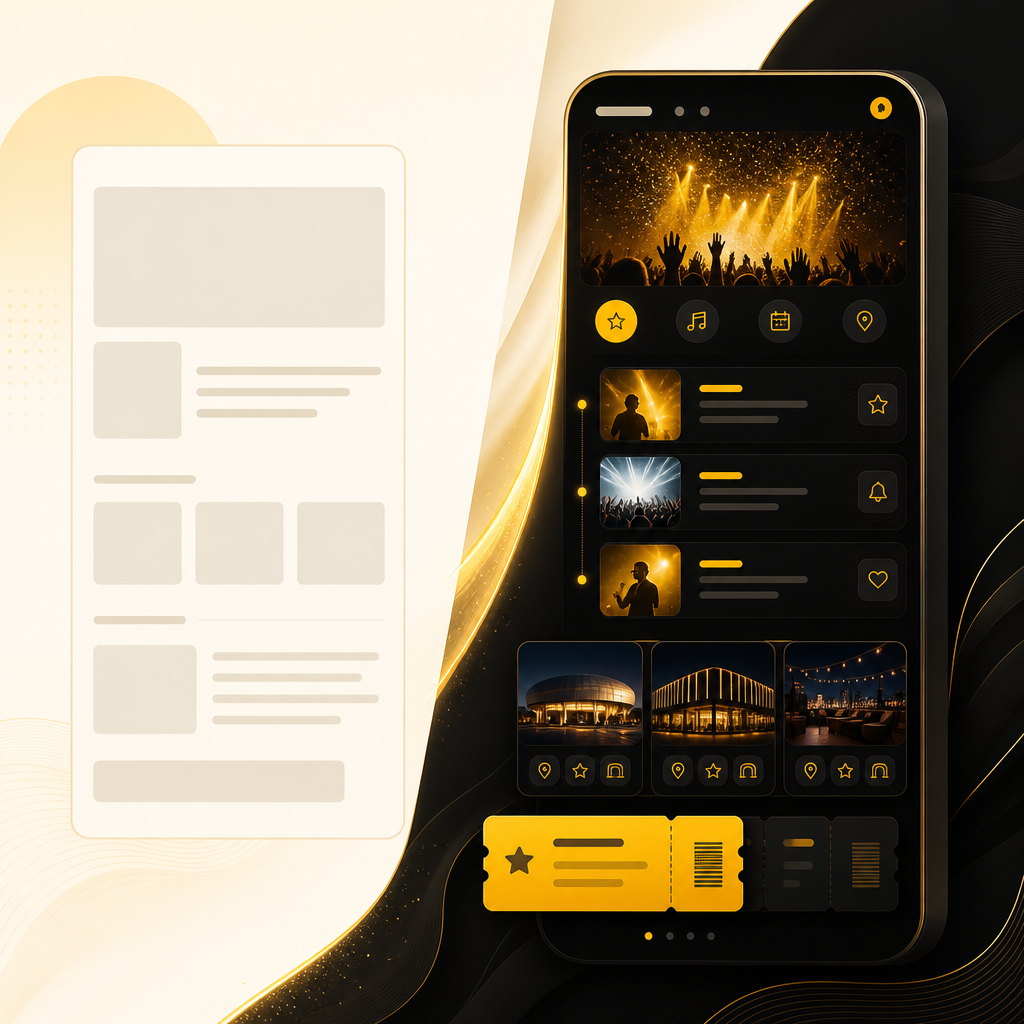
A premium editorial wide layout showing a comparison between a basic event page and a modern mobile-first entertainment website design using gold and off-white tones.

Core Goals for Entertainment Website Design

A strong entertainment site usually needs to achieve multiple goals at once:

  1. Inform visitors quickly Event details, lineup info, venue logistics, accessibility notes, and FAQs should be easy to scan.
  2. Convert visitors into ticket buyers or bookers Every page should lead toward a next action: tickets, RSVP, booking form, gallery-to-event click-through, or inquiry submission.
  3. Build trust with media and social proof High-quality photos/video galleries, clear brand identity, and credible event details reduce friction.
  4. Reduce back-and-forth Better UX means fewer “Can you confirm…” messages and fewer incomplete submissions.
  5. Scale with events and seasons Your site should handle new events, performers, pricing/ticket options, sponsors, and content updates without breaking performance.

Entertainment Website Information Architecture (What to Include)

When visitors land on your site, they’re asking questions like: What is happening? Where is it? When is it? How do I get tickets or book? What should I expect?

A conversion-focused information structure typically includes:

1) Event / Schedule Pages

  • Upcoming events with dates and locations
  • Filters (date range, category, performer, venue)
  • “Featured event” highlights for marketing campaigns
  • Consistent event page template for fast scanning

2) Event Detail Pages

Each event page should include:

  • Title, date/time, location, and venue details
  • Lineup/performers (with bios if relevant)
  • Tickets/booking section (primary CTA)
  • Gallery media (images and/or short videos)
  • Dress code / age policy / accessibility notes (where applicable)
  • FAQ blocks to prevent repeated inquiries
  • Contact or inquiry CTA for edge cases (groups, corporate, special requests)

3) Performers / Talent Pages (if you represent acts)

  • Profiles with bio, highlights, and prior appearances
  • “Book this performer” or “Inquire for availability”
  • Photo galleries and past event references

4) Venue Pages (if you host events)

  • Capacity and layout notes (as appropriate)
  • Directions, parking, public transit info
  • Accessibility details and amenities
  • House rules and policies

5) Gallery / Media Library

  • Organized by event, performer, or season
  • Fast loading images optimized for mobile
  • “From gallery to tickets” pathways (click-through to relevant event pages)

6) Inquiries and Booking Forms

Forms should be short, clear, and context-aware:

  • Event/booking type selection
  • Date preference fields (optional but helpful)
  • Required vs optional fields clearly explained
  • Confirmation page and next-step messaging
A premium editorial wide scene with abstract ticket, merch, and VIP icons connected by a gold pathway in a modern entertainment e-commerce style.

E-Commerce for Entertainment: Tickets, Merch, and Bookings

Entertainment e-commerce usually isn’t only “shopping.” It’s ticketing, reservations, merchandise, VIP packages, and add-ons—all designed to reduce checkout friction.

Key e-commerce components to plan for:

Ticket Sales & Checkout UX

  • A clear ticket selection step (simple quantities/options)
  • Transparent fees and delivery method (where applicable)
  • Mobile-friendly forms and payment screens
  • Confirmation messaging and order details display

Merch & Add-Ons (Optional but powerful)

  • Merch store linked to relevant events/performers
  • Add-ons like VIP upgrades, meet-and-greet items, or bundles
  • Post-purchase instructions and fulfillment timelines

Booking Systems (For service-based entertainment)

If you offer entertainment packages instead of ticketed events:

  • Package selection UI
  • Date availability workflow
  • Lead capture with structured form inputs
  • Automated follow-ups to confirm next steps

A custom build approach can integrate your e-commerce and booking logic with your CRM, email automation, spreadsheets, or internal admin tools so you don’t duplicate work.

UI/UX Design That Drives Event Conversions

UI/UX design for entertainment websites should focus on clarity, speed, and confidence—especially on mobile.

Mobile-First Layout Patterns

Entertainment audiences often browse on phones. High-performing patterns include:

  • Sticky or persistent CTAs (tickets/booking)
  • Large tap targets and readable typography
  • Short scroll paths to the next action
  • Collapsible FAQs and “quick info” blocks

Visual Hierarchy for Event Discovery

Visitors should immediately understand:

  • What’s happening
  • Where it’s happening
  • When it happens
  • How to buy or inquire

Use layout hierarchy like:

  • Hero banner with featured event
  • Event cards that show date, location, and lineup snippet
  • Strong CTA buttons on event detail pages

Trust Signals and Social Proof

Add trust in ways that don’t overwhelm:

  • Real photos, not generic stock imagery
  • Performer/venue credibility sections
  • Reviews, testimonials, or attendee highlights (if available)
  • Clear policies (age, refunds, accessibility, entry rules)

Fast Performance as a UX Feature

Slow pages cause lost sales. Performance improvements that matter for entertainment sites:

  • Optimized image galleries
  • Caching and efficient page rendering
  • Lightweight components for event listings and media
  • Reduced script load on mobile pages

Template vs Custom-Coded Entertainment Websites

Template-based sites can work initially, but entertainment brands often outgrow them when they need:

  • Unique event page layouts and dynamic schedules
  • Custom ticket/booking flows and data rules
  • Complex integrations (CRM, email, payments, ticket vendors)
  • Automated workflows based on event selection or inquiry type
  • Better SEO structures tailored to performer and venue keywords
  • Scalable architecture for high media volume and frequent updates

Custom-coded solutions built for your workflows typically deliver more control, better performance, and easier long-term scaling.

SEO for Entertainment Websites (Info + Transaction Intent)

Entertainment search behavior is highly specific: people look for events, lineups, venues, and near-me queries. SEO for entertainment sites should support two intents:

  1. Information intent “What time is the show?” “Where is the venue?” “Who is performing?”
  2. Transaction intent “Buy tickets for…” “Book…” “Reserve…”

Practical SEO foundations include:

  • Dedicated pages for events, performers, and venues (not just one blog post)
  • Clean URL structures and consistent page templates
  • Gallery SEO with efficient media delivery
  • Internal linking from gallery → event pages → ticket/booking actions
  • Fast pages with mobile-friendly layout
  • Schema-ready structure where appropriate for event discovery

A well-structured entertainment website helps search engines understand your content and helps users land on the exact page that answers their question.

Automation Integrations for Event and Entertainment Ops

A major advantage of custom website development is connecting your online experience to operational systems. Automation reduces manual follow-ups and improves response speed.

Common automations for entertainment brands:

  • When a user submits an inquiry, create/update a lead in your CRM
  • Send event-specific confirmations and next steps by email/SMS
  • Notify internal teams when VIP, group, or special requests come in
  • Sync ticket/booking events to calendars or internal dashboards
  • Trigger content updates (event lineup changes, schedule adjustments)

These workflows support a smoother customer journey and faster internal execution.
An abstract network of glowing nodes and connections symbolizing automated entertainment operations in a premium dark-neutral color scheme.

UI/UX Checklist for an Entertainment Website (Quick Self-Audit)

Use this checklist to evaluate your current site:

  • Can visitors find tickets/booking within 1–2 taps on mobile?
  • Are event details clear and scannable (date/time/location/lineup)?
  • Does every event page include a primary CTA and supporting info?
  • Are galleries optimized and linked back to relevant events?
  • Are performers/venue pages easy to browse and trust-building?
  • Do inquiry forms ask only what’s needed and guide users properly?
  • Is the site fast on mobile and stable on high-traffic days?
  • Is your information structure organized for both SEO and conversions?
  • Do you integrate with payments, CRM, and email automation where possible?

If you want to improve these areas, a custom entertainment website build can align UI/UX, performance, and integrations in one plan.

FAQs

What should an entertainment website include?

An entertainment website should include event/schedule pages, event detail pages with clear info, performer and/or venue pages (as relevant), galleries, ticket/booking or inquiry CTAs, and FAQs that reduce repetitive questions.

How do I design an event page for better conversions?

Use a consistent event layout: title + date/time + location at the top, lineup/performers clearly displayed, a prominent ticket/booking section, gallery media, and short FAQs—ending with a strong primary CTA.

Can entertainment websites include e-commerce without being “just a store”?

Yes. Entertainment e-commerce can be optimized for tickets, reservations, merch, and add-ons. The UI should reduce selection and checkout friction, and the site should connect purchases to confirmations and next steps.

What’s the difference between template design and custom UI/UX?

Templates can be limited when you need unique event page structures, dynamic schedules, advanced integrations, tailored SEO structures, and workflow automation. Custom UI/UX supports your brand and operations as you scale.

Why is UI/UX so important for ticket sales?

Good UI/UX helps users find details quickly, feel confident about the event, and complete purchases or booking requests with fewer errors—especially on mobile devices.

What integrations are common for entertainment websites?

Common integrations include payment systems, email automation, CRMs, calendar sync, and third-party tools for ticketing or messaging—so inquiries and purchases flow into your operations automatically.

Conclusion: Build an Entertainment Website That Informs and Converts

An Entertainment Website should do three things exceptionally well: inform clearly, sell or book smoothly, and deliver a modern UI/UX that feels fast and trustworthy.

For event and entertainment businesses, the best results come from a site designed around real user journeys—discovering events, viewing media, confirming details, and taking action—supported by custom development for scalability and automation.

Next Step: Explore Website Development for Entertainment Brands

If you want an entertainment website built to perform—fast, mobile-friendly, conversion-focused, and ready for ticketing/booking and integrations—explore Website Development and learn how custom-built experiences support growth and streamlined event operations.