
SHAKIR ANSARIUpgrade now to custom web systems (not templates)

Full Stack Development for Marketing Web Systems

Marketing teams don’t need “just a website.” They need digital systems that capture demand, route leads, track performance, and automate follow-up—without manual busywork.

Custom full-stack development by Shakir Ansari – Full Stack Developer & AI Automation Solutions helps businesses build complete digital products from front-end to back-end, including:

Upgrade now. Get a scalable platform your marketing team can actually operate and grow with.

Talk to a Full Stack DeveloperSee Web Development Case Studies
System

Landing pages + lead capture systems

Build connected flows from ad → landing page → capture → CRM → follow-up.

Pipeline

CRM and marketing tool integrations

Connect lead capture to your CRM so data routes reliably and stays consistent.

Automation

Automation-ready websites and web apps

Trigger-based actions and workflow engines reduce manual follow-up.

What Is Full Stack Development (and why marketing teams should care)?

Full stack development builds the entire product stack—the interface your visitors see and the systems that power operations behind the scenes.

That means your marketing needs aren’t patched together with disconnected tools. Instead, your web presence becomes a connected system.
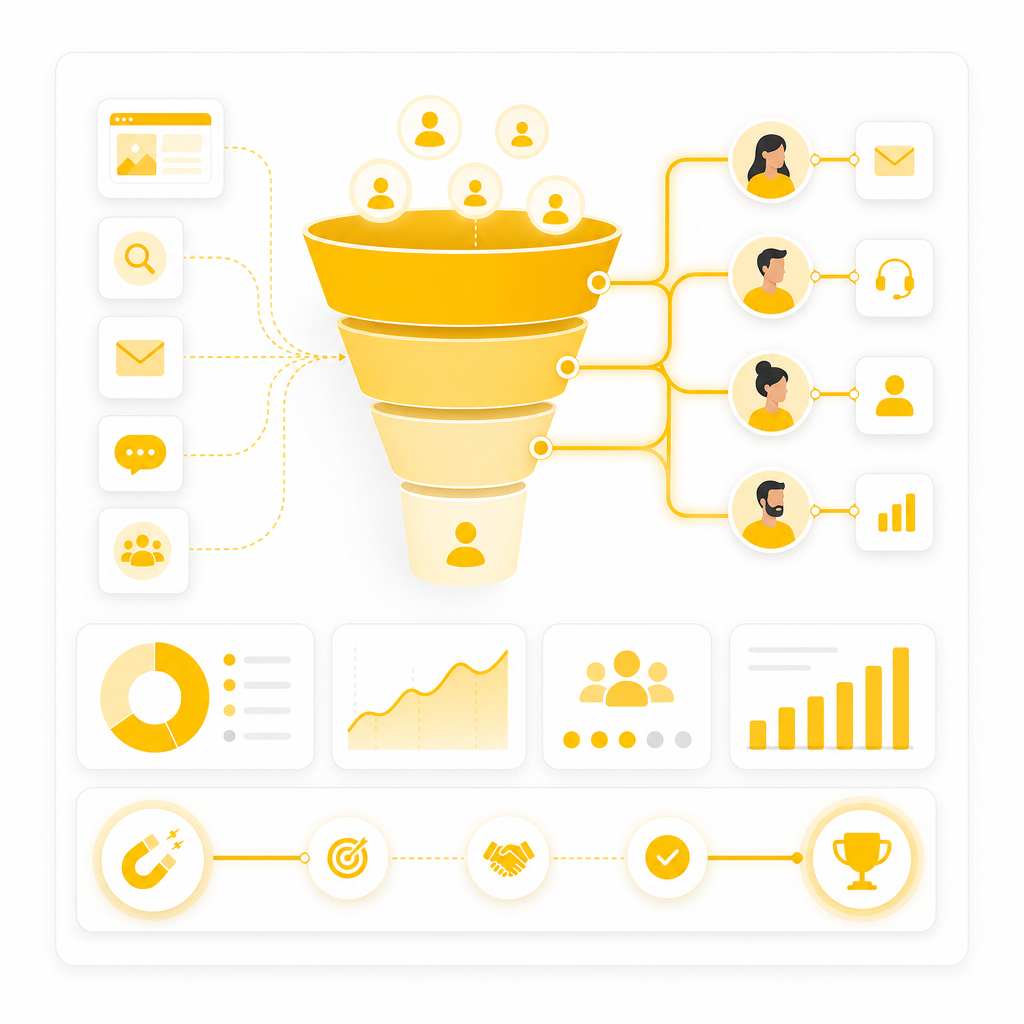
A full-stack system can include:

  • Front-end: responsive landing pages, dashboards, portals (e.g., React)
  • Back-end: APIs, business logic, workflow engines (e.g., PHP/Laravel, Node.js)
  • Databases: secure storage for leads, users, campaigns, orders
  • Integrations: CRM, email automation, ad platforms, payments
  • Automation: triggers, routing, enrichment, AI-enabled workflows
  • Admin tools: role-based access, analytics, content + lead management
Illustration representing how full-stack development fixes lead routing, reporting, and automation compared to website-only builds.

Why Your Business Needs More Than Just a Website

Most “website-only” builds fail marketing teams in three ways:

  1. No real lead pipeline – Forms don’t consistently route leads – Data doesn’t sync into CRMs correctly – Follow-up becomes manual or delayed
  2. No visibility into campaign performance – Reporting lives across too many tools – Teams can’t see end-to-end conversion metrics – Hard to attribute results to specific campaigns
  3. No room to automate and scale – Templates are limited – New workflows require expensive workarounds – Performance and security degrade as traffic grows

Full stack development solves this by turning your website into a conversion and operations engine.

Website vs. Web Application: What Does Your Business Actually Need?

Use a simple rule:

Choose a custom website when you need:

  • Marketing pages, brand content, basic lead forms
  • A fast, SEO-friendly site with light interactivity

Choose a web application when you need:

  • Lead capture + routing logic
  • Dashboards, admin panels, user portals
  • Automation workflows tied to events (submissions, purchases, bookings)
  • Integrations that require APIs and reliable back-end processes

Marketing wins most often with:

✅ Websites + web application features—built as one connected system.

Website Design + Development: What “Good” Looks Like for Marketing Teams

Great marketing web systems are built for conversion, speed, and maintainability.

You get:

  • Conversion-focused UI/UX for landing pages and lead flows
  • Clear pathways from ad → landing page → capture → CRM → follow-up
  • Performance optimization for real user experience and SEO
  • Scalable architecture so upgrades don’t break what already works

Automation-ready foundations

Automation-ready foundations (webhooks, triggers, API workflows)

Goal: Make it easy for your marketing team to launch campaigns—without relying on developers for every small change.

The Marketing Web Systems Full Stack Can Build (Real Use Cases)

Here are the digital systems marketing teams commonly need:

1) Landing pages that actually convert (and capture clean data)

  • Modular sections and landing page templates
  • Lead forms with validation + anti-spam strategies
  • Custom lead routing rules (by campaign, source, location, service type)

2) Lead capture systems connected to your CRM

  • CRM integration via APIs and webhooks
  • Contact creation, deal/opportunity creation, and tagging
  • Field mapping to keep data consistent and usable

3) Campaign dashboards for performance and operations

  • Unified reporting across campaigns
  • Lead status, conversion rates, pipeline updates
  • Role-based admin views (marketing vs sales vs management)

4) Automation-ready workflows (reduce manual follow-up)

  • Trigger-based actions (submit → enrich → notify → nurture)
  • Scheduled tasks (lead aging, campaign reminders, re-engagement)
  • AI-powered enhancements (optional): lead scoring, summarization, routing suggestions

5) Portals for qualified users and ongoing customer journeys

  • Client or member portals
  • Booking/account workflows
  • Secure access and permissions

Why One Full-Stack Team Beats “Separate Vendors”

When design, back-end, integrations, and dashboards are split across multiple vendors, you typically get:

With full stack development, your system is built coherently—so:
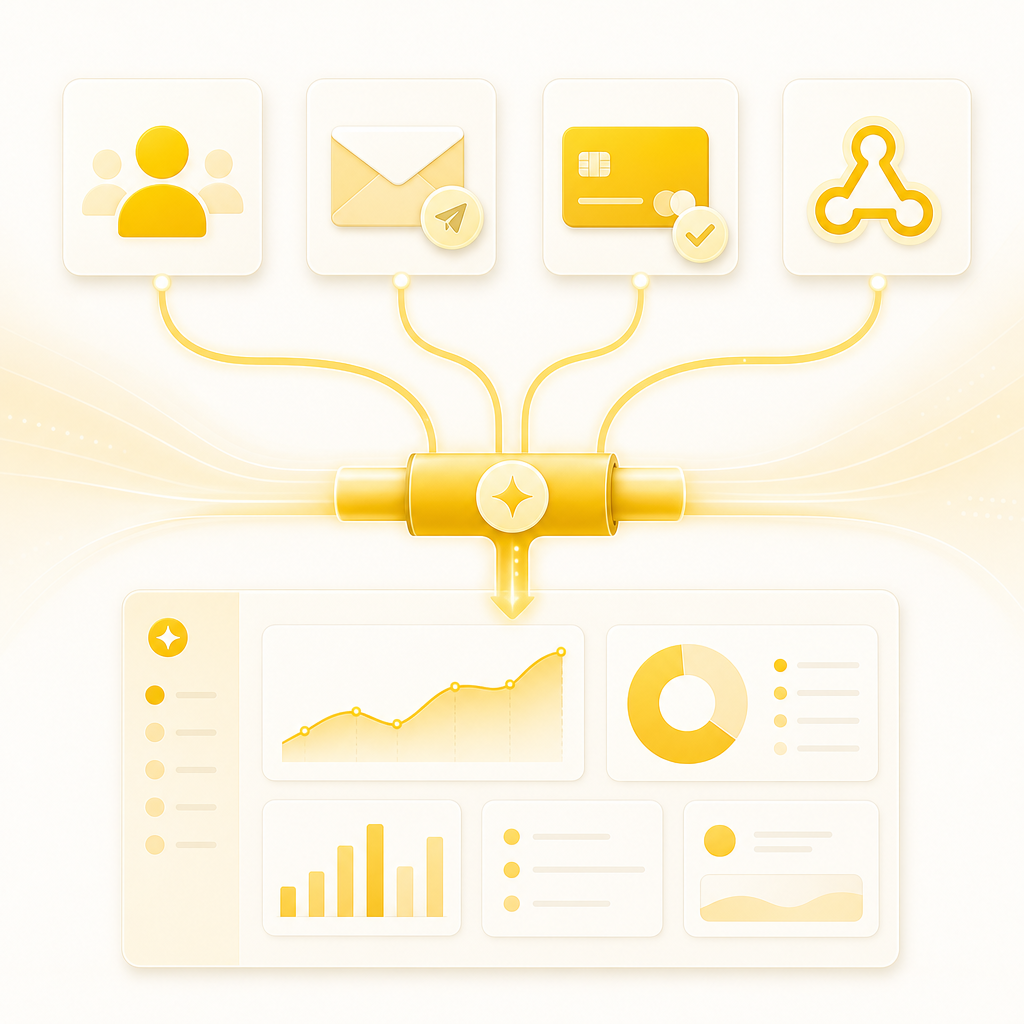
Illustration of connected marketing integrations moving data through APIs, webhooks, and workflows into one pipeline.

Integrations That Connect Your Marketing Stack

Marketing systems succeed when data moves correctly across platforms.

We commonly integrate:

  • CRM: HubSpot, Salesforce, Zoho (and more via APIs)
  • Marketing tools: email automation, tracking, attribution workflows
  • Payment gateways: Stripe, PayPal, and custom payment flows
  • Business tools: ERP-like systems, internal tools, ticketing, messaging
  • Data & automation: webhooks, background jobs, event-driven workflows

Result: a single connected pipeline from campaign traffic to operational outcomes.

How We Build: A Conversion-First Full Stack Process

Most teams don’t just need development—they need clarity and execution.
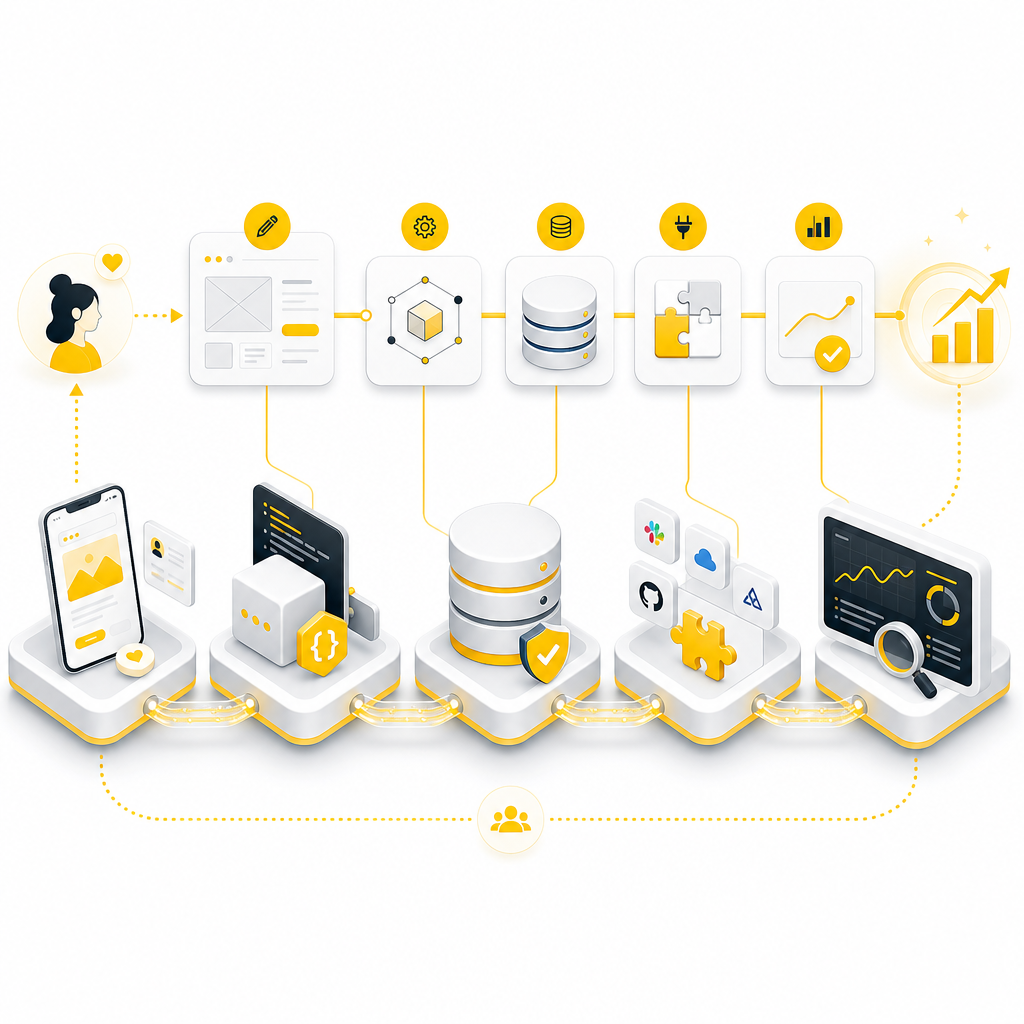
Step 1: Discovery + System Planning

  • Define conversion goals and lead flows
  • Map integrations and required data fields
  • Identify reporting and dashboard requirements

Step 2: UX + Website Design + System Architecture

  • Design the UI for landing pages, dashboards, admin panels
  • Plan the back-end models, APIs, and workflows
  • Ensure the platform is automation-ready from day one

Step 3: Full Stack Development

  • Front-end implementation (e.g., React)
  • Back-end development (e.g., PHP/Laravel, Node.js)
  • Database design + secure data handling

Step 4: Integrations + API Development

  • CRM sync, webhooks, third-party connections
  • Payment and e-commerce integration (when needed)
  • QA to confirm reliable data transfer

Step 5: Performance, Security, and Launch

  • Speed optimization and stability checks
  • Security hardening and access control
  • Launch with monitoring and next-step upgrade planning

Step 6: Ongoing Maintenance + Feature Upgrades

  • Add new features without breaking existing flows
  • Improve conversions over time
  • Scale for growth and traffic
Illustration showing the full-stack process from planning to launch and ongoing upgrades for marketing web systems.

Tech & Platforms We Commonly Use

Depending on your goals, we deliver full-stack solutions using:

Front-end

  • React (and modern UI patterns)

Back-end

  • PHP, Laravel, Node.js

E-commerce

  • Shopify, WooCommerce

Content/Speed

  • WordPress, Squarespace workflows

Mobile (where needed)

  • React Native

Automation and APIs

  • custom integrations, workflow automation, SaaS-ready architecture

Web Development Case Studies (Examples of Upgrades That Drive Results)

Explore how teams upgrade from “basic website” to smart systems.

Case Study 1: Lead Funnel + CRM Automation Upgrade

Challenge: Landing forms created leads but didn’t reliably sync to CRM pipelines.

Solution: Built a full-stack lead capture system with validation, field mapping, and API-based CRM updates.

Impact: Cleaner lead data, faster routing, fewer missed opportunities, improved conversion tracking.

Case Study 2: Campaign Dashboard for Marketing + Sales Alignment

Challenge: Performance data was scattered across multiple tools; reporting took too long.

Solution: Developed a custom dashboard pulling from your lead database and campaign sources, with role-based admin views.

Impact: Faster decision-making, clearer attribution, better pipeline visibility.

Case Study 3: SaaS-Ready Web Platform with Admin Panels

Challenge: The business needed a scalable product experience beyond templates.

Solution: Built an application-style platform with user portals, admin tools, secure access, and API workflows.

Impact: Easier onboarding, smoother operations, and a foundation for future feature releases.

Want relevant examples? Share your current stack and goals—we’ll recommend the closest Web Development Case Studies style match.

Security, Performance, and Scalability (Non-Negotiables)

As traffic grows and integrations expand, systems must remain reliable.

We prioritize:

Security improvements

  • access control, safe form handling, secure API design

Performance optimization

  • faster pages, reduced bottlenecks, efficient queries

Scalability

  • architecture that supports new campaigns, users, and features

Maintainability

  • clean code practices for long-term upgrades

This is how you avoid constant rebuilds and keep momentum.

Why Businesses Choose Shakir Ansari (RTP Team)

With 10+ years of experience and 1300+ web applications developed, Shakir Ansari and the RTP team build reliable systems across:

  • Custom web development (full-stack)
  • Laravel, PHP, React, Node.js
  • WordPress, Shopify, WooCommerce
  • API integrations, SaaS development
  • Workflow automation + AI agents (optional based on needs)

Outcome: You get custom solutions tailored to your marketing and operational reality—not generic templates.

Frequently Asked Questions

What’s the difference between website design and full stack development?

Website design focuses on UI/UX and pages. Full stack development builds the full system—front-end, back-end, databases, APIs, dashboards, and integrations that power operations and automation.

Can you integrate our CRM with lead forms?

Yes. We build lead capture systems with CRM integrations using APIs/webhooks, including field mapping and reliable lead routing.

Will this help our campaign tracking and reporting?

Yes. Full stack systems can include dashboards and reporting logic so marketing and leadership can track conversions end-to-end.

Do you build automation-ready platforms?

Yes. We implement workflow triggers, background jobs, and integration points so your marketing stack can automate lead handling, follow-up, and routing.

Can you upgrade an existing website?

Absolutely. We can evolve your current setup into a more scalable system—adding back-end logic, integrations, and dashboard features without starting from scratch.

Upgrade now to a conversion-ready full stack system

If your marketing team needs landing pages, lead capture, CRM integrations, campaign dashboards, and automation-ready web tools—Upgrade now.

Talk to Shakir Ansari for a Full Stack PlanRequest Web Development Case Studies for your industry