
SHAKIR ANSARI

Subscription Website & SaaS Platform Development (How It Works)

Subscription-based businesses need more than a marketing site. They need a digital platform that can onboard customers, manage recurring payments, handle taxes, deliver paid access, and track usage—without manual work each month.

This pillar page breaks down how subscription website development works from a full-stack perspective, so you can understand what to build (and what to ask your development partner for) when moving to a pay monthly website or SaaS model.

What Is a Subscription Website (and Why It’s Not Just a “Website”)?

A subscription website is a customer-facing platform that supports recurring purchases and ongoing service delivery. Unlike a standard website, it typically includes:

  • Checkout and recurring billing
  • Customer accounts and login
  • Automated subscription status changes (active, past due, canceled)
  • A customer portal (what the user can access and manage)
  • Content, features, or services tied to payment status
  • Usage tracking and reporting
  • Integrations (emails, CRM, analytics, support tools)
  • Back-office admin dashboards to manage customers and revenue

In other words, it behaves like a product system—often a lightweight SaaS platform—requiring full-stack development across front-end, back-end, and payment/tax services.
Abstract wide editorial layout showing recurring billing and gated access metaphors connected to account and admin modules in warm brand colors.

How Subscription Website Development Works (End-to-End)

Below is the typical end-to-end flow your subscription platform should support. This is the “how it works” view—use it as a checklist when planning your build.

1) Plan the Subscription Model and User Journey

Start by defining:

  • What customers pay for (plan tiers, add-ons, seat-based access, usage-based features)
  • When access starts (immediately vs after payment confirmation)
  • How changes work (upgrades, downgrades, pauses, cancellations)
  • What happens on failed payments (grace period, retries, notifications)

This step determines how your billing logic and portal permissions will be structured.

2) Build the Front-End Experience (Design + Customer Portal UI)

Your UI should clearly communicate:

  • Plan selection and checkout entry points
  • Account creation and authentication
  • Subscription status visibility
  • Access to gated features or content
  • Billing management (update payment method, change plan, cancel)
  • Usage dashboards (where relevant)

Most subscription businesses use React or similar modern front-ends because it supports interactive customer portals and responsive dashboards without heavy page reloads.

3) Develop the Back-End Subscription Engine

Your server-side system handles the “truth” for recurring services, including:

  • Subscription lifecycle events (created, renewed, expired, canceled)
  • Payment status updates
  • Entitlement logic (what a user can access)
  • Audit logs for changes
  • Admin workflows for support and refunds (where applicable)

This is where a full-stack build really matters—your system should coordinate customer states across authentication, billing, access control, and reporting.

4) Integrate Payment Gateways for Recurring Billing

A pay monthly website depends on reliable recurring billing.

Key integrations typically include:

  • Creating checkout sessions
  • Managing subscriptions and invoices
  • Handling webhooks (events from the payment processor)
  • Updating user entitlements after successful payment
  • Syncing billing details for customer support and reporting

From a development standpoint, webhooks and idempotent event handling are essential so your platform doesn’t duplicate renewals or incorrectly revoke access.

5) Add Customer Portal Permissions and Account Management

Once billing is in place, users need a portal that reflects their status:

  • Login and account details
  • Plan management
  • Billing history (invoices, payment method info if supported)
  • Access to features tied to subscription status
  • Notifications and support entry points

A robust portal reduces support tickets because users can self-serve subscription actions.

6) Implement Usage Dashboards and Reporting

Many subscription businesses need “usage-based” experiences or operational visibility, such as:

  • API usage counts or feature limits
  • Credits remaining / meters used
  • Seats and role-based access
  • Reports for end-users and internal admin views
  • Exportable billing or usage summaries

This requires backend tracking, consistent data models, and secure dashboards.

7) Connect Internal Tools via APIs (Automation-Ready)

Subscription platforms become more valuable when they connect to the rest of your business, such as:

  • CRM/marketing tools (lead status, churn signals, segmentation)
  • Support systems (ticket creation, customer status tags)
  • Internal workflow automation (welcome emails, renewal reminders)
  • Data warehouses/analytics dashboards

APIs make your subscription website the hub rather than a standalone tool.

8) Tax Integration for Subscription Payments

Tax requirements are a common complexity in recurring payments. A proper setup includes:

  • Tax calculation logic aligned to your business rules
  • Handling tax fields per invoice/subscription
  • Ensuring tax data stays consistent across retries, renewals, and refunds
  • Correct display in invoices and customer billing views

Tax integration is not just a “form field”—it must match recurring billing events so totals remain accurate every cycle.

9) Secure, Optimize, and Maintain Over Time

A subscription platform must be reliable under load and safe for account data:

  • Authentication and authorization protections
  • Secure webhook handling and event verification
  • Performance optimization for dashboards and portals
  • Monitoring, logging, and alerting
  • Ongoing feature upgrades as your subscription offerings evolve

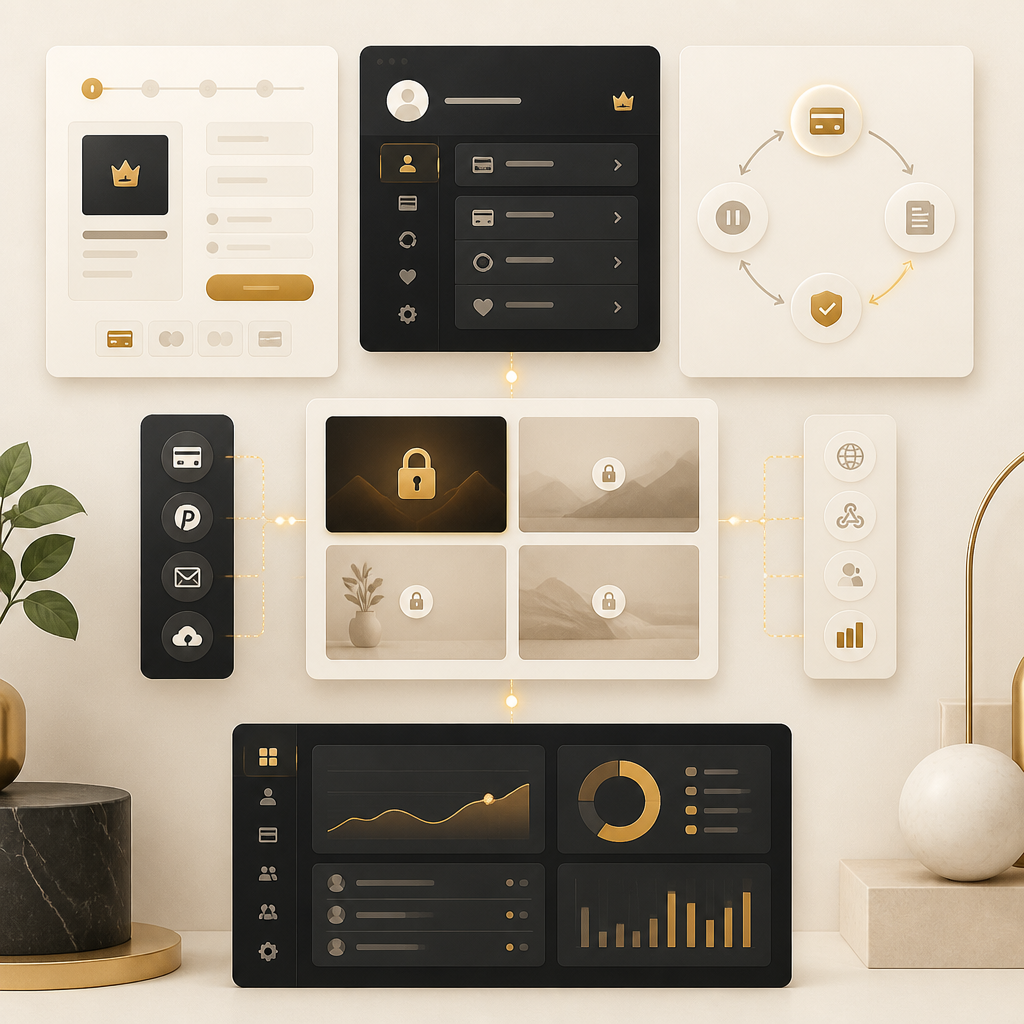
Wide editorial modular layout symbolizing subscription management, automated billing, customer portal access, tax handling, usage tracking, and admin oversight using text-free icons.

Core Features Your Subscription Platform Should Include

When you build a custom pay monthly website, ensure the platform supports these functional blocks:

Subscription Management

  • Plan tiers and pricing configuration
  • Upgrade/downgrade flows
  • Cancellation and pause handling
  • Renewal tracking and status updates

Billing Automation

  • Automated invoices and payment collection
  • Webhook-driven synchronization
  • Failed payment workflows
  • Customer notifications

Customer Portal

  • Account access with entitlements
  • Billing management and subscription overview
  • Support links and self-service actions

Tax Integration

  • Correct tax calculation and invoice alignment
  • Consistent handling across renewals and updates

Usage Dashboards

  • Feature usage tracking
  • Seat management (if applicable)
  • Admin reporting and exportable data

Admin Panels

  • Customer support tools
  • Subscription and billing history views
  • Operational oversight for churn and churn prevention signals

Website vs Web Application vs SaaS: What Should You Build?

Many subscription businesses start with a “website” but need a platform that acts like a web application or SaaS. Here’s a practical way to decide:

  • If you need recurring payments + gated access: you’re building more than a website.
  • If users manage billing plans or view usage: it’s a web application + portal.
  • If you need multi-tenant structure, admin controls, and scalable features: it’s closer to a SaaS platform.

A full-stack team can design the system so it grows from launch to advanced features without a rebuild.

How Full-Stack Development Helps Subscription Businesses Scale

A subscription business has moving parts: billing events, permissions, dashboards, APIs, and customer communications. Full-stack development supports scaling because:

  • Front-end and back-end are built together for consistent workflows
  • Integrations (payments, tax, CRM, analytics) are implemented in a coordinated way
  • Admin panels, portals, and dashboards share reliable data models
  • Automation and API connections are built into the platform from the beginning
  • Performance and security improvements can be applied across the stack

For a team building subscription systems, this “single platform mindset” reduces handoff issues and speeds up iteration.

Editorial wide illustration showing connected front-end, back-end, APIs, and integration nodes for a scalable subscription platform using warm gold accents with no text.

Common Development Decisions (and Questions to Ask)

When planning a pay monthly website, ask your team:

  1. How will billing events update user access?
  2. How are webhooks verified and handled safely?
  3. Where does tax integration live in the workflow?
  4. What does the customer portal include on day one?
  5. How are usage metrics tracked and displayed?
  6. Can we integrate with CRM/support/marketing systems via APIs?
  7. How will admin dashboards help reduce support work?
  8. What security measures protect accounts, billing data, and portal access?

FAQ: Subscription Website Development, Tax Integration, and Pay Monthly Websites

What does “How it works” mean for a subscription website?

It refers to the full lifecycle: customer signup → checkout → recurring billing → webhook events → entitlement updates → customer portal access → renewals and reporting (including usage dashboards and billing history).

Do subscription websites need tax integration?

If your offerings trigger tax obligations in relevant regions, yes. Tax integration ensures invoices and totals remain accurate across recurring billing events and subscription changes.

What makes a “pay monthly website” different from a normal site?

A pay monthly website includes recurring payment handling, subscription status tracking, gated access, customer account portals, and ongoing renewal workflows—not just one-time checkout pages.

Why is a customer portal important for subscriptions?

A portal reduces support load by letting customers manage billing and view their subscription and usage details, while giving your business cleaner operational workflows through self-service and automated updates.

Do we need usage dashboards for subscriptions?

Not always, but many subscription businesses benefit from usage dashboards to manage limits, credits, seat activity, and to provide transparency that improves retention.

Conclusion

Subscription website development is a full platform build—not just design and content. The best results come from connecting recurring billing, tax integration, customer portals, usage dashboards, and admin workflows into one coherent full-stack system.

If you’re ready to move beyond basic websites into a scalable subscription experience, the next step is to map your subscription flows and feature requirements, then build the platform end-to-end with full-stack development.

CTA: Explore full-stack development for subscription websites to design and implement your recurring billing workflows, customer portal, tax integration, and usage dashboards in a scalable, automation-ready system.